> For the complete documentation index, see [llms.txt](https://docs.helmut.de/helmut4-releases/llms.txt). Markdown versions of documentation pages are available by appending `.md` to page URLs; this page is available as [Markdown](https://docs.helmut.de/helmut4-releases/getting-started/additional-configurations/container-adjustments/dynamic-share-mounts-in-docker.md).
# Dynamic Share Mounts in Docker
## Introduction
Using **bind mounts** in your Docker stack or Compose configuration allows you to dynamically mount the host’s `/mnt` directory (or parts of it) into the Docker environment.
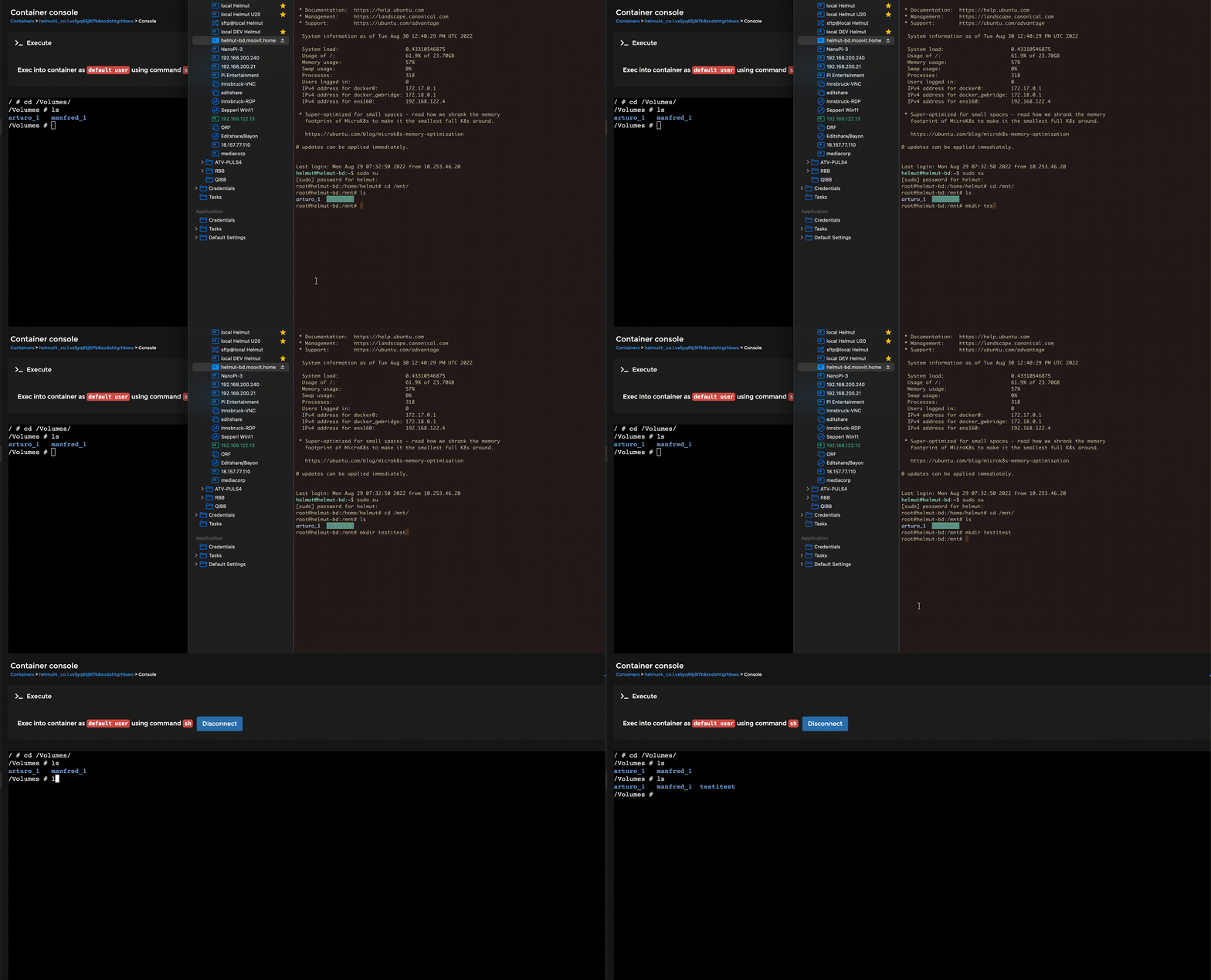
This means that when a new share is added on the host, it automatically becomes available to containers without the need for manual reconfiguration.
One key advantage of bind mounts is that the specified file or directory **does not need to exist beforehand** on the host — Docker will create it automatically if it’s missing.
Bind mounts are highly performant but rely on the host’s filesystem structure being consistent and accessible.
{% hint style="warning" %}
Automatic or dynamic mounting of all subdirectories under /mnt can introduce **security risks**.
**We strongly recommend consulting your IT department before implementing this approach.**
{% endhint %}
### Configuration Overview
The required configuration changes are minimal and straightforward to implement.
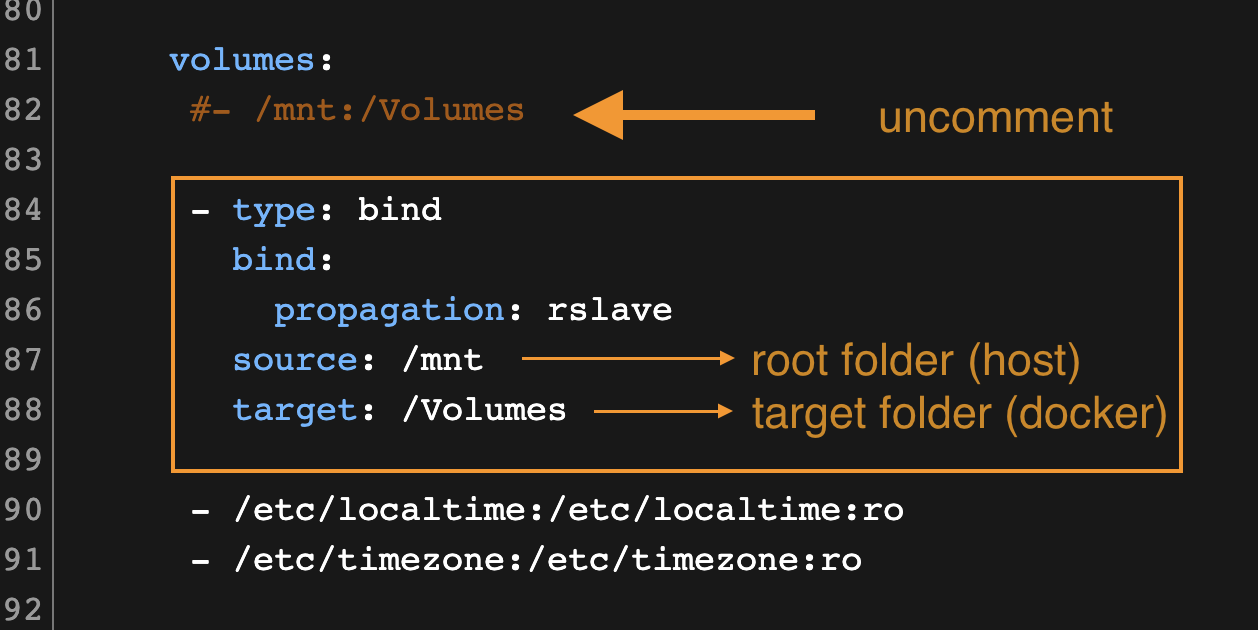
Make sure to **remove or comment out** any existing static `/mnt:/Volumes` mapping, as it will conflict with the dynamic mount setup when deploying your stack.
Volume mounting via bind
### Example: Map Root Share
Below is an example of dynamically mapping the entire `/mnt` directory into Docker:
```yaml
volumes:
- type: bind
bind:
propagation: rslave
source: /mnt
target: /Volumes
# Old static method to mount a share/folder
#- /mnt:/Volumes
```
This configuration automatically exposes all subdirectories under `/mnt` to Docker, allowing new network shares or mounts on the host to become visible inside the containers.
Demonstration of dynamic share mount in docker
### Example: Map a Dedicated Folder
If you prefer to expose only a specific folder or share, you can define a more restricted bind mount:
```yaml
volumes:
- /etc/localtime:/etc/localtime:ro
- type: bind
bind:
propagation: rslave
source: /mnt/demo-h4/archive
target: /Volumes/archive
```
This approach limits access to a defined directory, improving security and reducing exposure compared to mounting the entire `/mnt` tree.
{% hint style="info" %}
**For further information and assistance, here are the Docker references**\
\
[https://docs.docker.com/storage/bind-mounts](https://docs.docker.com/storage/bind-mounts/)\
{% endhint %}