> For the complete documentation index, see [llms.txt](https://docs.helmut.de/helmut4-releases/llms.txt). Markdown versions of documentation pages are available by appending `.md` to page URLs; this page is available as [Markdown](https://docs.helmut.de/helmut4-releases/helmut4-components/streamdesigner/nodes/actions/adobe-dva-general-1/adobe-dva-media-cache-settings.md).
# Adobe DVA Media Cache Settings
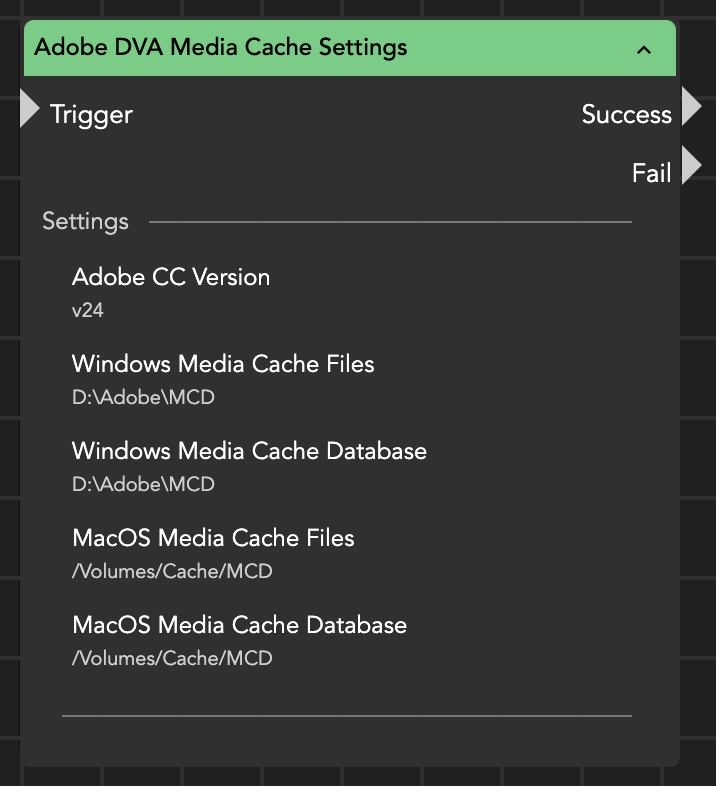
The **DVA (Digital Video Application) Media Cache** node allows you to configure the cache directories for both the **Media Cache** and the **Media Cache Database**.
The configuration applies to supported Adobe video applications, including Premiere Pro, After Effects, Audition, and Media Encoder.
The node allows you to define separate cache paths for Windows and macOS systems. Each node instance can target only a single Creative Cloud version.
Adobe DVA Media Cache Settings
{% hint style="info" %}
The targeted application must be opened at least once on the client before this node can set the path according to the defined parameters.
{% endhint %}
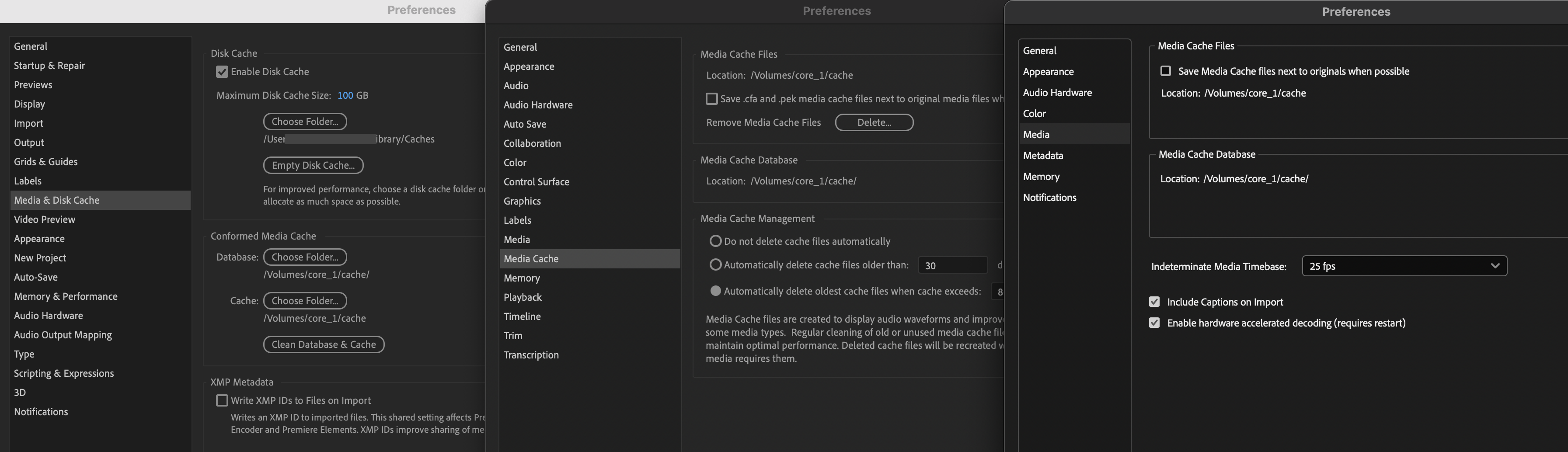
The configured cache locations correspond to the settings used by the Adobe applications, as illustrated in the screenshot below: After Effects on the left, Premiere Pro in the center, and Media Encoder on the right.