> For the complete documentation index, see [llms.txt](https://docs.helmut.de/helmut4-releases/llms.txt). Markdown versions of documentation pages are available by appending `.md` to page URLs; this page is available as [Markdown](https://docs.helmut.de/helmut4-releases/v4.10.0/helmut4-components/streamdesigner/deprecation-warning.md).
# Deprecation warning
## Overview
Due to the constant development of Helmut4, it is possible that nodes may become deprecated once the system has been upgraded to a [newer snapshot release](/helmut4-releases/v4.10.0/getting-started/upgrade-guide.md).
Related information about why a node has been deprecated or replaced with a newer one can be checked in the [changelog](/helmut4-releases/v4.10.0/release-notes/changelog.md).
## Finding a deprecated node
There are two indicators to find a deprecated node.
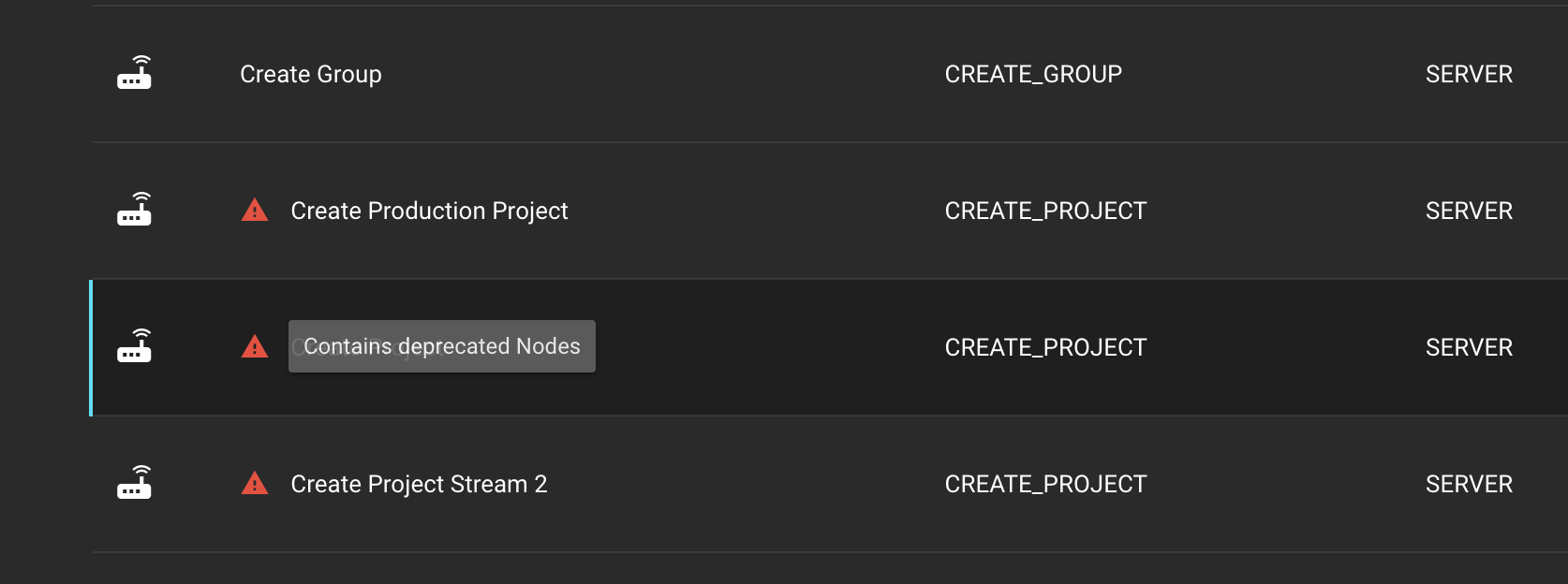
The first indicator can be observed within the [Streams](/helmut4-releases/v4.10.0/helmut4-components/helmutfx/streams.md) tab. Any stream containing deprecated node(s) will display a red triangle with an exclamation mark, accompanied by the hover information 'Contains deprecated nodes'.
Deprecation warning in streams
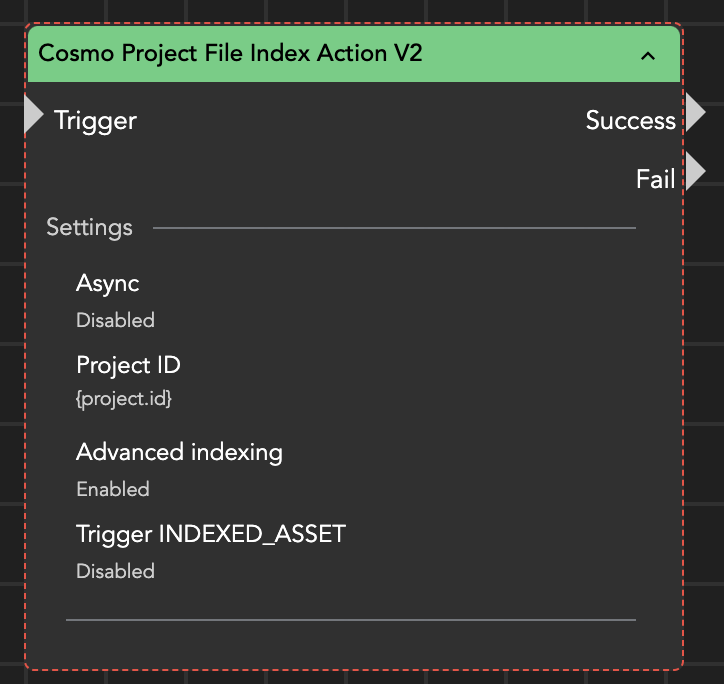
The second indicator can be found within the stream. Any deprecated node will feature a red dotted border for visual indication.
Deprecated node
## Replacing a deprecated node
### Prologue
A deprecated node won't stop working after the system has been updated. By default, they continue operating as designed, but they won't be able to address any of the new features/functions added to the newer equivalent of this node.
{% hint style="info" %}
We advise updating Helmut4 to a newer version and considering updating the nodes after a few days to ensure everything is working as designed, thereby reducing the amount of debugging in case of an issue.
{% endhint %}
### Replace deprecated node
Replacing a deprecated node is a manual task. This is because an automatic replacing mechanism would complicate debugging significantly, as there is no direct reference to where changes have been applied in the background.
Automatic node replacement could also lead to issues with existing workflows and/or third-party applications, so consider testing in advance on your staging system.
Nodes can be replaced one-to-one. Please be cautious to avoid any copy/paste issues that may cause a syntax error.
### New parameters / options
{% hint style="warning" %}
Please allocate some time for this task, as it may be necessary to conduct pre-testing.
{% endhint %}
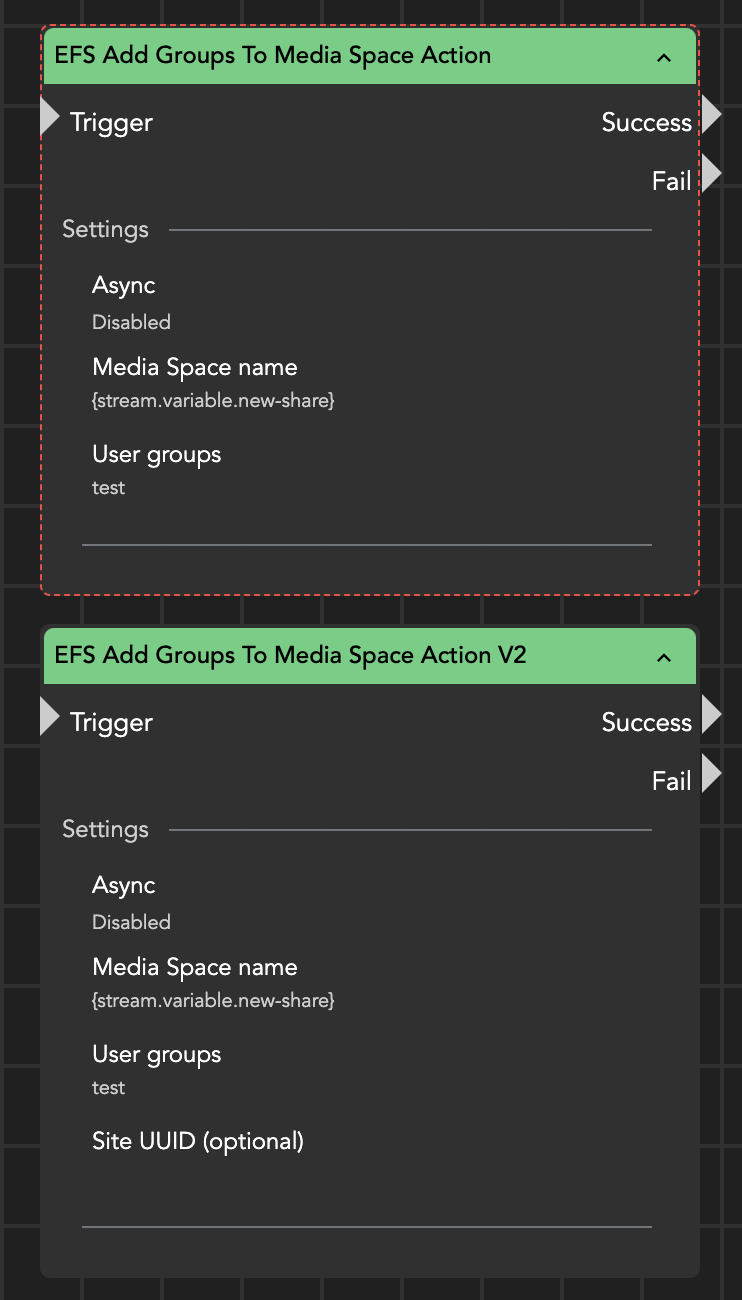
The functionality has been expanded, as illustrated in the screenshot below for the [EFS Add Groups to Media Space](/helmut4-releases/v4.10.0/helmut4-components/streamdesigner/nodes/actions/third-party/editshare-2/editshare-file-system/efs-add-group-to-media-space-action.md) action, which now includes a Site UUID field.
Deprecated and new version of an EFS node action
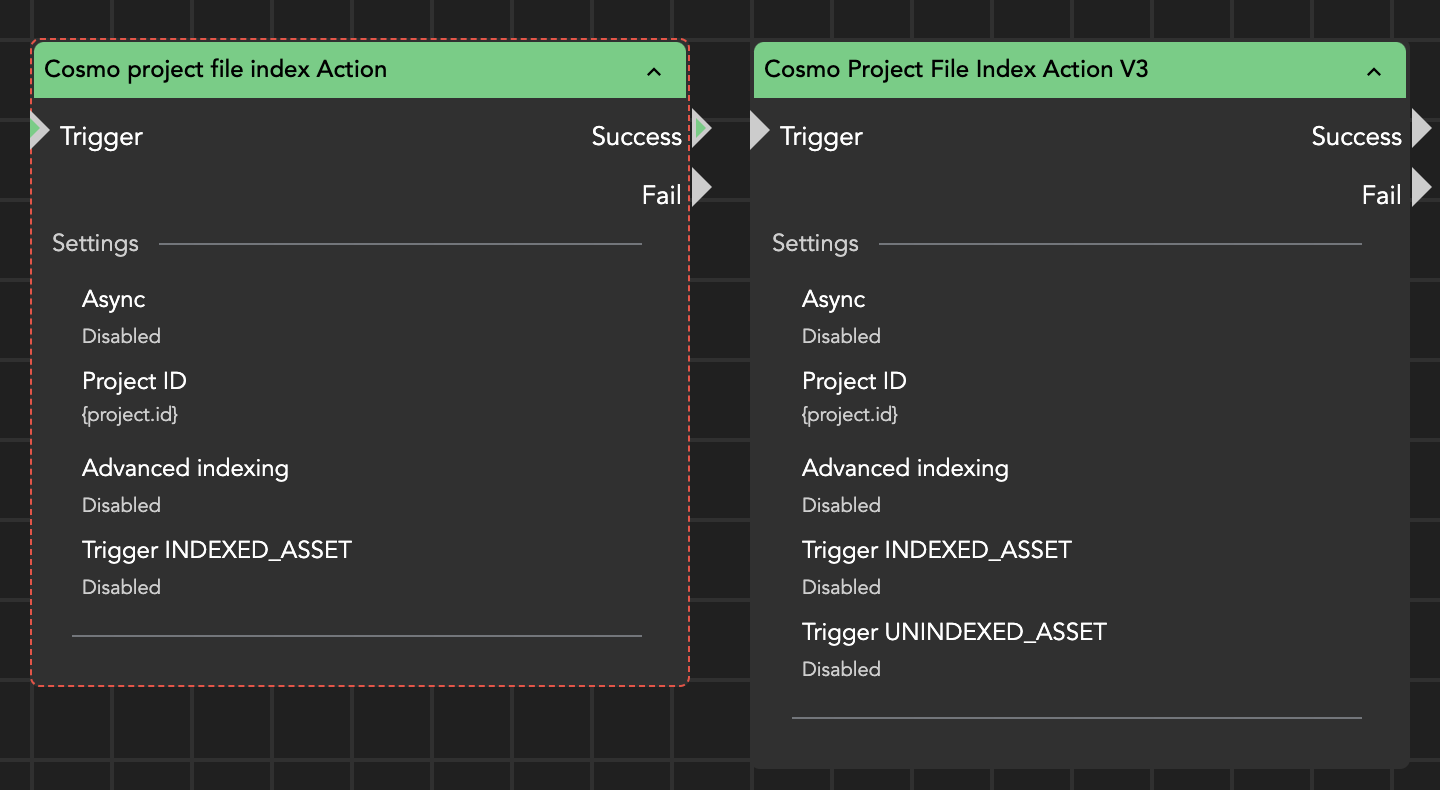
Deprecated and new version of a project file index action