> For the complete documentation index, see [llms.txt](https://docs.helmut.de/helmut4-releases/llms.txt). Markdown versions of documentation pages are available by appending `.md` to page URLs; this page is available as [Markdown](https://docs.helmut.de/helmut4-releases/v4.10.1/getting-started/additional-configurations/dynamic-share-mount-into-docker.md).
# Dynamic share mount into docker
## Introduction
Utilizing bind mounts in the stack/compose configuration allows the mounting of the root '/mnt' mount point into the Docker environment. Consequently, when a new share is added on the host side, it becomes available within the Docker system.
Notably, the file or directory does not need to exist on the Docker host beforehand; it is created on demand if absent. While bind mounts are highly performant, it is important to note that they depend on the host machine's filesystem having a specific directory structure available.
{% hint style="warning" %}
Exercise caution when using this function.\
The automatic/dynamic mounting of all sub-folders can pose a security risk.
**We recommend discussing this internally with your IT department before proceeding.**
{% endhint %}
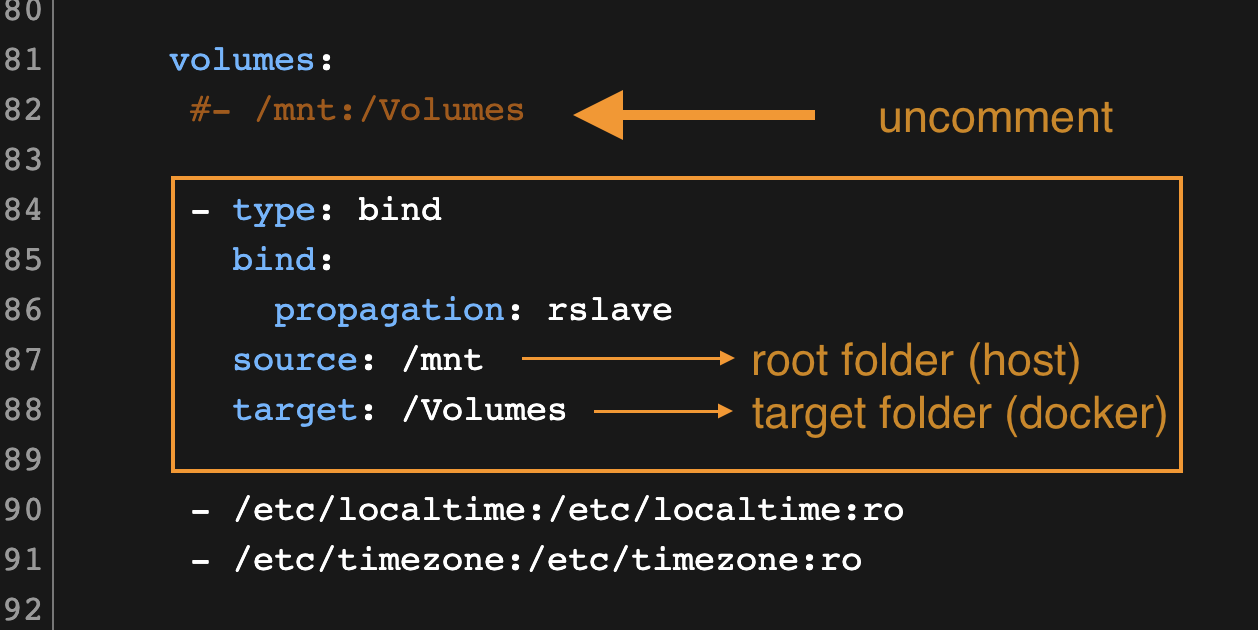
The required modifications for this are straightforward and easily implemented:
Volume mounting via bind
Consider that the default basic /mnt:/Volumes mounting needs to be removed or changed to a comment, as this would lead to an issue when deploying the stack.
### Map root share
Configuration example for docker bind
```yaml
volumes:
- type: bind
bind:
propagation: rslave
source: /mnt
target: /Volumes
# Old static method to mount a share/folder
#- /mnt:/Volumes
```
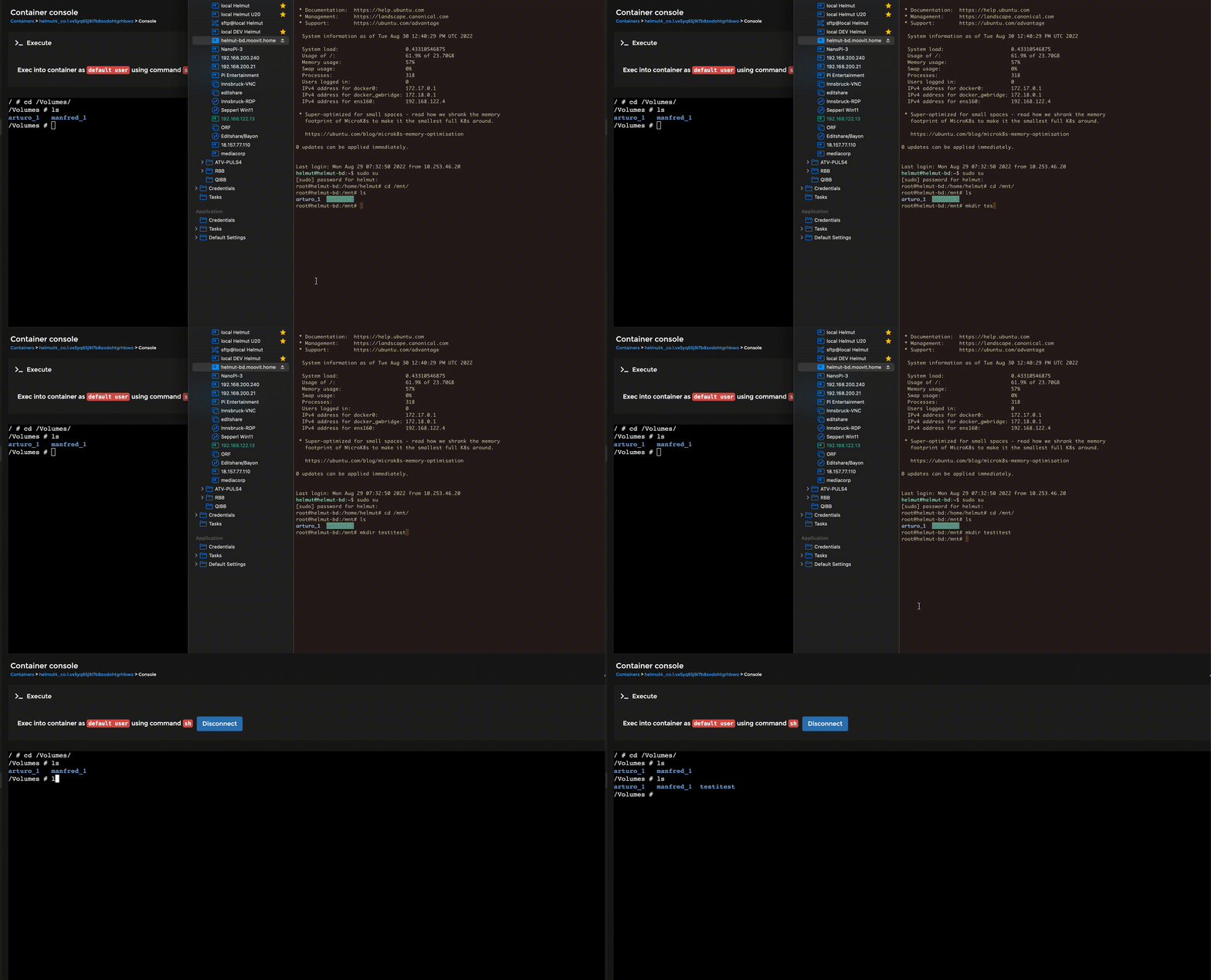
Demonstration of dynamic share mount in docker
### Map dedicated folder
```yaml
volumes:
- /etc/localtime:/etc/localtime:ro
- type: bind
bind:
propagation: rslave
source: /mnt/demo-h4/archive
target: /Volumes/archive
```
{% hint style="info" %}
**For further information and assistance, here are the Docker references**\
\
[https://docs.docker.com/storage/bind-mounts](https://docs.docker.com/storage/bind-mounts/)\
{% endhint %}