> For the complete documentation index, see [llms.txt](https://docs.helmut.de/helmut4-releases/llms.txt). Markdown versions of documentation pages are available by appending `.md` to page URLs; this page is available as [Markdown](https://docs.helmut.de/helmut4-releases/v4.10.1/getting-started/additional-configurations/enable-https-set-ssl-certificate/create-local-ssl-certificate-untrusted.md).
# Create Local SSL Certificate (Untrusted)
For debugging and testing, setting up a local SSL certificate on a staging system can be useful for various scenarios:
* **Copy and paste nodes between streams** (available only when SSL is activated)
* **Export and import streams** without needing to adjust potential HTTPS endpoints
* **Use encrypted communication** for secure data transfer
**Note:** The drawback is that the certificate won't be trusted by a root authority.
## Prerequisites
* **IP Address** of your Helmut4 VM/Machine: 172.16.189.133
* **DNS Name:** fusion-helmut
* **Access to modify local hosts configuration**
## Create certificate on server
* **Establish an SSH connection** to the Helmut4 server:
```bash
# Ensure OpenSSL is installed/available
sudo apt-get update
sudo apt-get install openssl -y
```
* **Create a private RSA key:**
```bash
openssl genrsa -out server.key 2048
```
* **Generate a Certificate Signing Request (CSR) using the key:**
```bash
openssl req -new -key server.key -out server.csr
```
\
During this process, you'll be prompted to enter information about your organization. Make sure to enter fusion-helmut as the Common Name (CN) when prompted:
* **Country Name:** Enter your two-letter country code (e.g., US).
* **State or Province Name:** Enter your state or province name.
* **Locality Name:** Enter your city.
* **Organization Name:** Enter your organization’s name.
* **Organizational Unit Name:** Enter your department.
* **Common Name:** Enter fusion-helmut (this is important as it matches the DNS name).
* **Email Address:** Enter your email address.
You can leave the other fields (Challenge Password, etc.) blank.
* **Generate a self-signed certificate** using the CSR:
```bash
openssl x509 -req -days 365 -in server.csr -signkey server.key -out server.crt
```
The certificate will be valid for 365 days.
## Install and test the certificate
* **Copy** the server.crt and server.key files into the /root/certs directory.
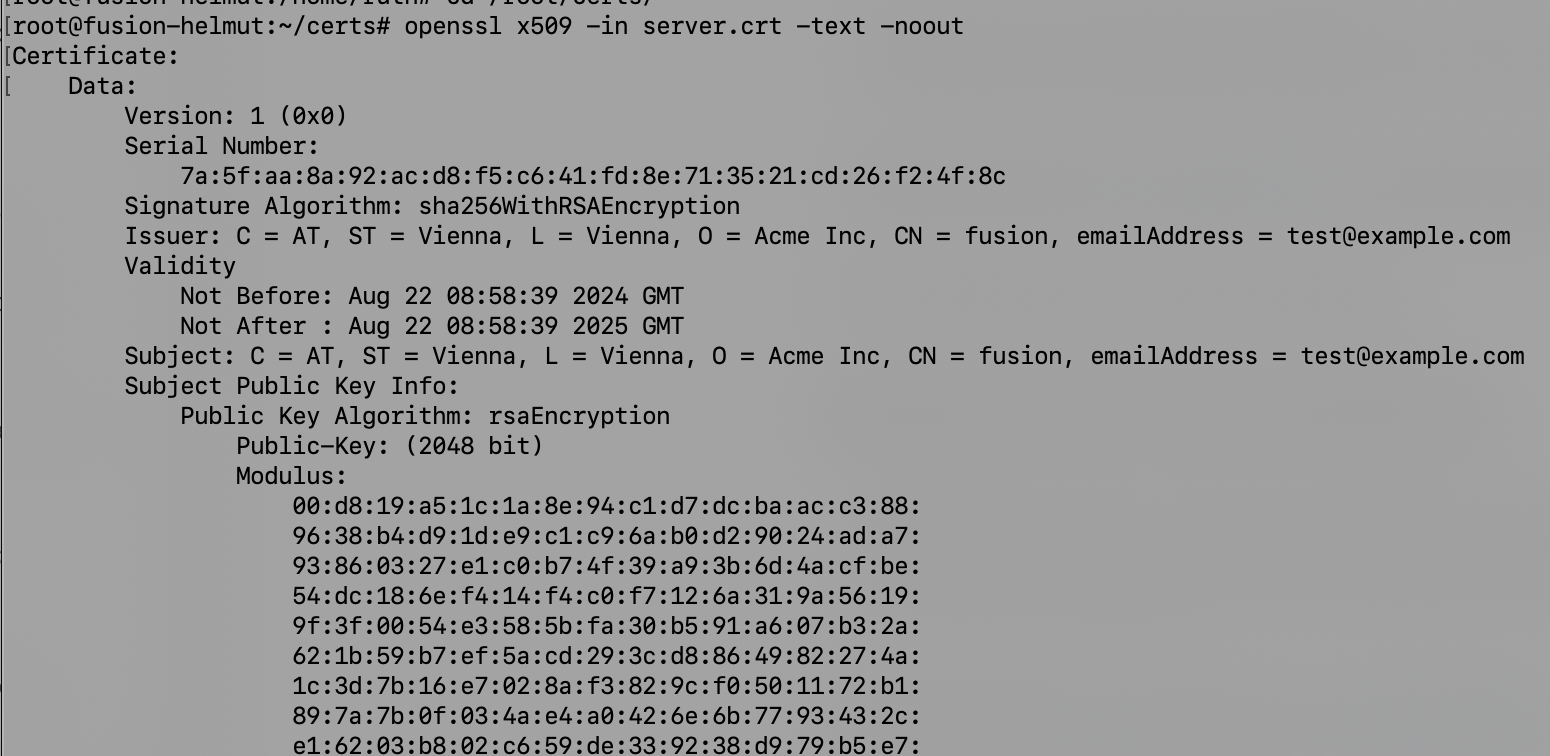
* **Verify the certificate** with the following command:
```bash
cd /root/certs
openssl x509 -in server.crt -text -noout
```
SSL certificate issuer
## Enabling https and link to certificates
Please refer to this documentation: [Enable https mode](/helmut4-releases/v4.10.1/getting-started/additional-configurations/enable-https-set-ssl-certificate.md#enable-https-mode)