# Cosmo-Project View

![Projects view in Cosmo](https://content.gitbook.com/content/MDOObhR5m91Ea2DZ1Pfu/blobs/NaW26tZv0mOyYD89Vr5e/image.png)

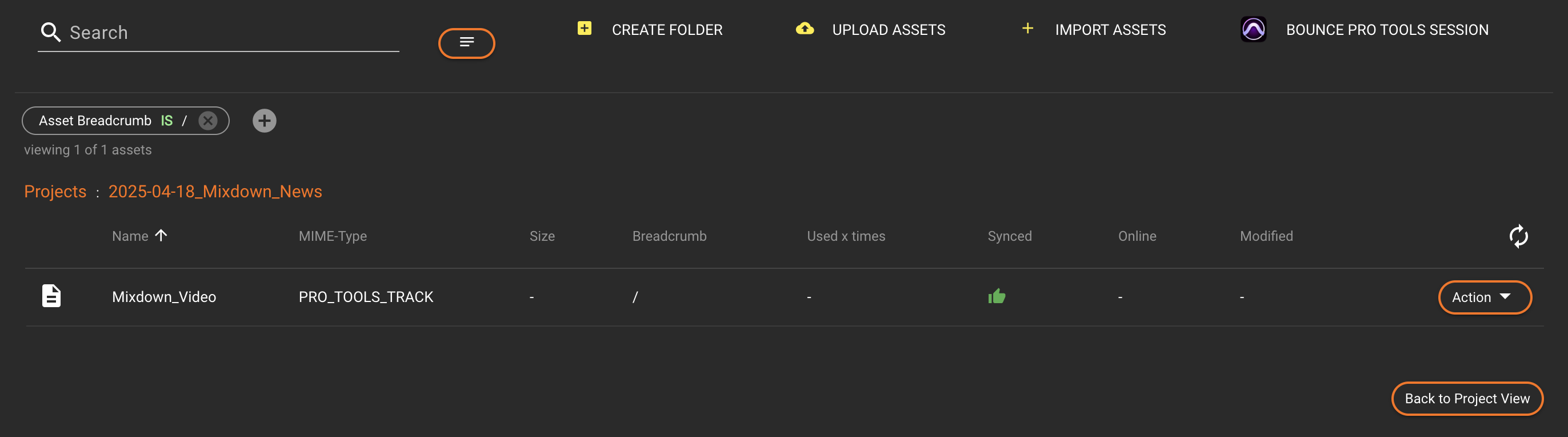
<figure><img src="https://content.gitbook.com/content/MDOObhR5m91Ea2DZ1Pfu/blobs/kMV144sioQOkxrqcBTl1/image.png" alt=""><figcaption><p>Projects view of a Pro Tools project in Cosmo</p></figcaption></figure>

### Project Level

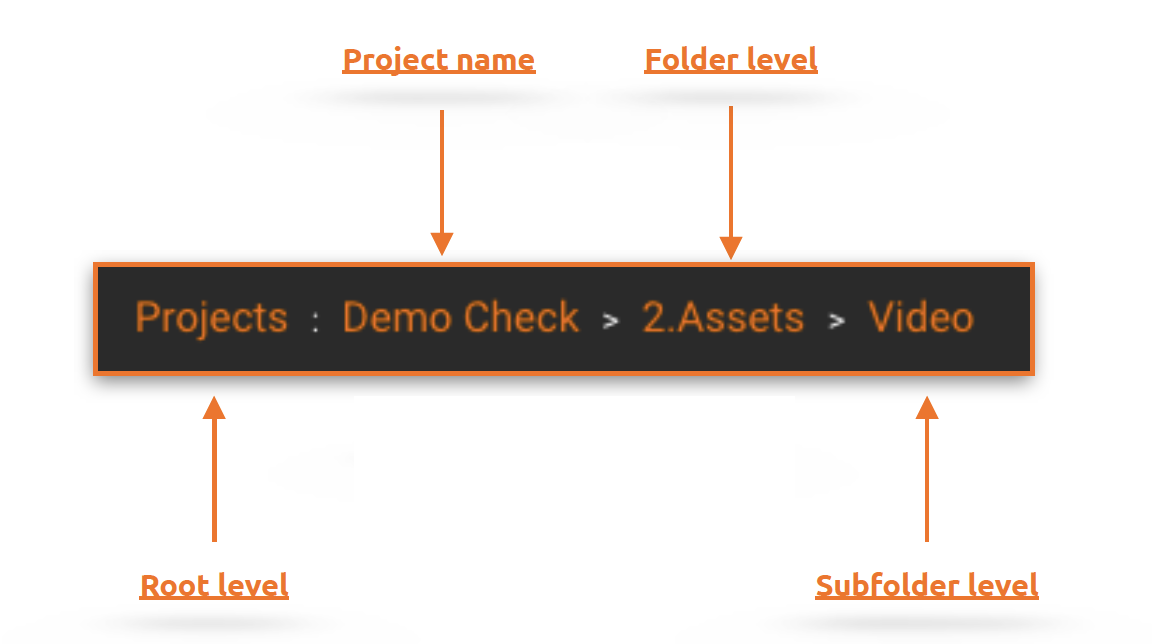
Indicates at which level within the project you are currently located. The root level (Projects) is always displayed first. After the colon follow project name, folders and subfolders separated by an arrow symbol. It is possible to click on part of the displayed project level to get back.

![Project Level in HelmutCO](https://content.gitbook.com/content/MDOObhR5m91Ea2DZ1Pfu/blobs/om8eMpdKThHjzNnJ1k6a/Bildschirmfoto%202022-08-18%20um%2017.39.27.png)

### Filter / filter bubble

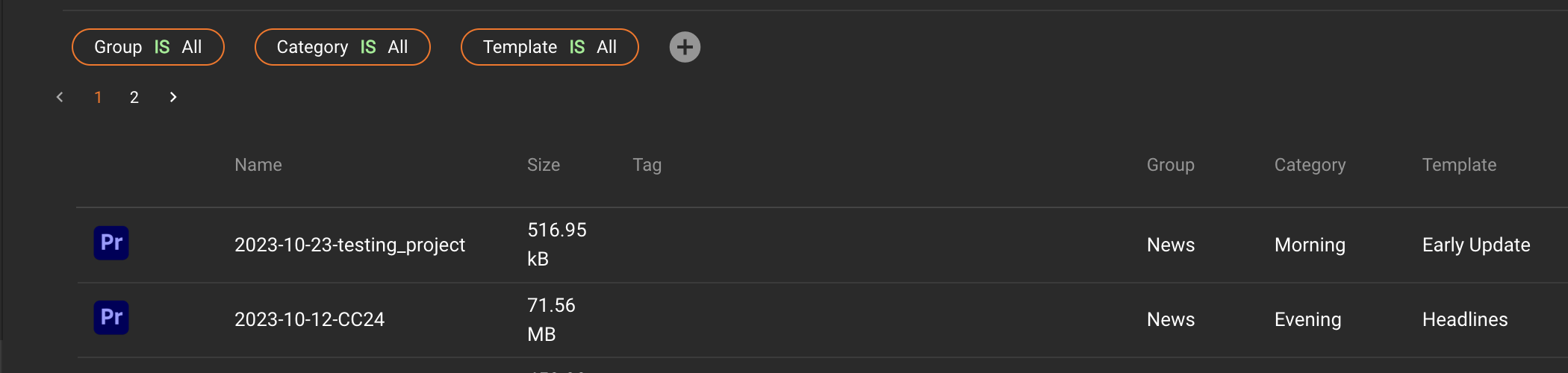
The filter bubble function is identical for all four modules: [FX](https://docs.helmut.de/helmut4-releases/v4.11.0/helmut4-components/helmutfx), [IO](https://docs.helmut.de/helmut4-releases/v4.11.0/helmut4-components/helmutio), [CO](https://docs.helmut.de/helmut4-releases/v4.11.0/helmut4-components/helmutco) and [HK](https://docs.helmut.de/helmut4-releases/v4.11.0/helmut4-components/helmuthk).\
For more information navigate to the [HelmutFX projects-filter](https://docs.helmut.de/helmut4-releases/v4.11.0/helmutfx/projects#filter) tab.

### Search bar

The search bar function is identical for all four modules: [FX](https://docs.helmut.de/helmut4-releases/v4.11.0/helmut4-components/helmutfx), [IO](https://docs.helmut.de/helmut4-releases/v4.11.0/helmut4-components/helmutio), [CO](https://docs.helmut.de/helmut4-releases/v4.11.0/helmut4-components/helmutco) and [HK](https://docs.helmut.de/helmut4-releases/v4.11.0/helmut4-components/helmuthk).\
For more information navigate to the [HelmutFX projects-search bar](https://docs.helmut.de/helmut4-releases/v4.11.0/helmutfx/projects#search-bar) tab.

### Create Folder

Opens a dialog for entering the name of a new folder. A new folder will be created at the current project level.

The new folder will be synced to the project file the next time the project and the Helmut4 Panel extension are opened.
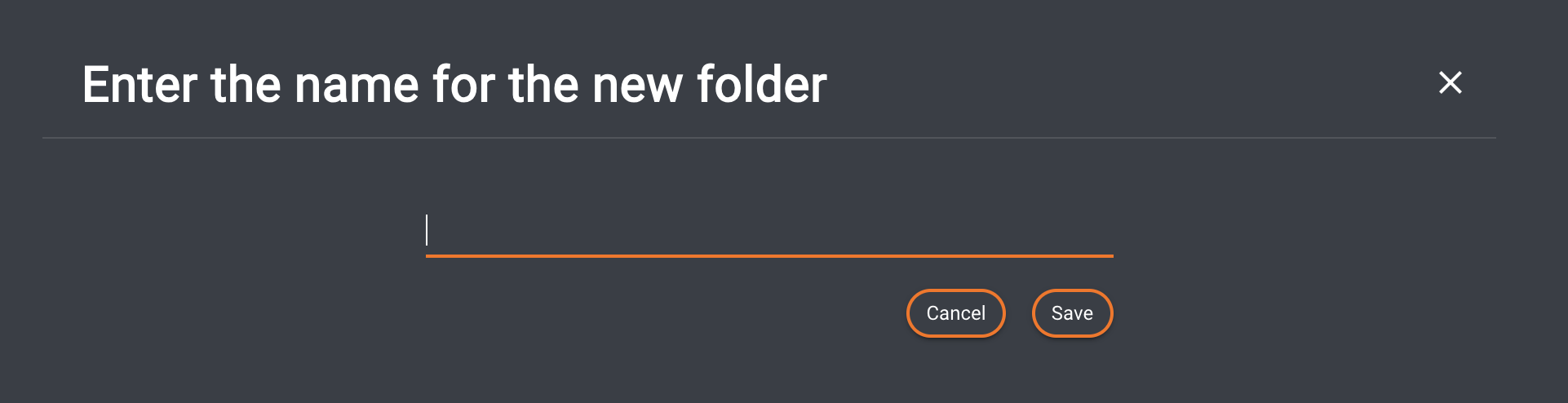
<figure><img src="https://content.gitbook.com/content/MDOObhR5m91Ea2DZ1Pfu/blobs/RXpNZ6iuurInAzjcrrBA/image.png" alt=""><figcaption><p>Cosmo - Create folder dialog</p></figcaption></figure>

### Upload Assets

Navigate to [Upload & Ingest Workflow](https://docs.helmut.de/helmut4-releases/v4.11.0/helmut4-components/streams/co-event-triggers/web_upload#upload-and-ingest-workflow) for further information.

### Upload Dialog

Navigate to [Upload monitoring](https://docs.helmut.de/helmut4-releases/v4.11.0/helmut4-components/streams/co-event-triggers/web_upload#upload-monitoring) for further information.

### Import Assets

Navigate to [Ingest Workflow](https://docs.helmut.de/helmut4-releases/v4.11.0/helmut4-components/streams/co-event-triggers/web_import#importing-an-asset) for further information.

### Bounce Pro Tools Session

This button appears only when you’re viewing a Pro Tools project. Clicking it initiates a session bounce via the [Pro Tools Bounce Session Action](https://docs.helmut.de/helmut4-releases/v4.11.0/helmut4-components/streamdesigner/nodes/actions/avid-pro-tools/pro-tools-bounce-session-action) node, leveraging Pro Tools’ native API integration.

### Refresh Button

The button will refresh the view of the project within Cosmo.

### Action Button

For further information towards the action button in Cosmo see: [CO Event Triggers](https://docs.helmut.de/helmut4-releases/v4.11.0/helmut4-components/streams/co-event-triggers#trigger-limitations).

### Modified

Displays the timestamp of the last change to the asset.

### Online

Indicates the accessibility of the asset's path stored in the database by the last client (or server container) that executed the latest index action.**\***

If accessible, the file is represented as online with a green thumbs-up; if inaccessible, it is indicated with a red thumbs-down.

{% hint style="info" %}
**\***  Before the release of Helmut 4.6.0, only the server was able to index a project - see [Important changes from version 4.6.0 onwards](https://docs.helmut.de/helmut4-releases/v4.11.0/streamdesigner/nodes/actions/cosmo/cosmo-project-file-index-action#important-changes-from-version-4.6.0-onwards)
{% endhint %}

### Synced

Displays a green thumbs-up for synced or a red thumbs-down for unsynced when an asset has been synchronized with the project file.

Once the project file is opened with a running Helmut4 panel, the asset will be synced. For further information, refer to: [Set synced / unsynced trigger](https://docs.helmut.de/helmut4-releases/v4.11.0/helmut4-components/streams/co-event-triggers#set-synced-unsynced-trigger)

{% hint style="warning" %}
An unsynced asset that hasn't been imported into Premiere Pro or After Effects won't have valid asset parameters like NodeID or DynamicLink ID (UUID).

These parameters are created and set by Adobe and passed on to Helmut4 after the project has been indexed (for example on project close).
{% endhint %}

### Folder / Breadcrumb

Displays, in addition to the project level, the folder structure in which the displayed asset is located.

In Helmut4, folders or bins in a project are referenced as breadcrumbs.

### Size

Displays the size of the project after indexing, or the size of an asset.

<figure><img src="https://content.gitbook.com/content/MDOObhR5m91Ea2DZ1Pfu/blobs/aY9bwmbkncpKVf0EeD7h/image.png" alt=""><figcaption><p>Project size in Cosmo</p></figcaption></figure>

<figure><img src="https://content.gitbook.com/content/MDOObhR5m91Ea2DZ1Pfu/blobs/YQUDEcioWKTghrEq2zVR/image.png" alt=""><figcaption><p>Asset size in Cosmo</p></figcaption></figure>

### MIME type

Navigate to [MIME Type](https://docs.helmut.de/helmut4-releases/v4.11.0/helmut4-components/helmutco/projects/mime-type) for further information.

### Name

Displays the name of the asset in the list.

### Type icon

Displays the asset type as an icon. There are icons for folders, data, video/audio/image assets, and sequences/compositions.