> For the complete documentation index, see [llms.txt](https://docs.helmut.de/helmut4-releases/llms.txt). Markdown versions of documentation pages are available by appending `.md` to page URLs; this page is available as [Markdown](https://docs.helmut.de/helmut4-releases/v4.11.0/helmut4-components/helmuthk/projects.md).
# Projects
The projects menu is identical for all four modules: [FX](/helmut4-releases/v4.11.0/helmut4-components/helmutfx.md), [IO](/helmut4-releases/v4.11.0/helmut4-components/helmutio.md), [CO](/helmut4-releases/v4.11.0/helmut4-components/helmutco.md) and [HK](/helmut4-releases/v4.11.0/helmut4-components/helmuthk.md).
For more information navigate to the [HelmutFX projects](/helmut4-releases/v4.11.0/helmut4-components/helmutfx/projects.md) tab:
{% content-ref url="/pages/N6taOvaHGqHAyDd5sKmf" %}
[Projects](/helmut4-releases/v4.11.0/helmut4-components/helmutfx/projects.md)
{% endcontent-ref %}
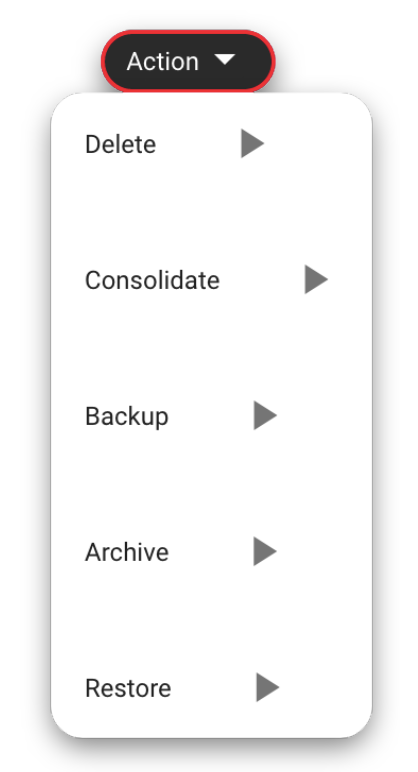
### Differences in Housekeeper Action Menu
{% hint style="info" %}
In contrast to the HelmutFX projects window, clicking on the project name does not display familiar FX triggers such as Open, Custom\_FX, Restore, and so on. In the HK context, the functionality of the action button is employed differently.
The options presented under the action button exclusively showcase Housekeeper functions/profiles and only become visible once a corresponding profile has been created and configured for the respective stream trigger in HK.
{% endhint %}