> For the complete documentation index, see [llms.txt](https://docs.helmut.de/helmut4-releases/llms.txt). Markdown versions of documentation pages are available by appending `.md` to page URLs; this page is available as [Markdown](https://docs.helmut.de/helmut4-releases/v4.11.0/helmut4-components/streamdesigner/nodes/actions/adobe-premiere-pro/premiere-pro-add-motion-graphic-template-library-action.md).
# Premiere Pro Add Motion Graphic Template Library Action
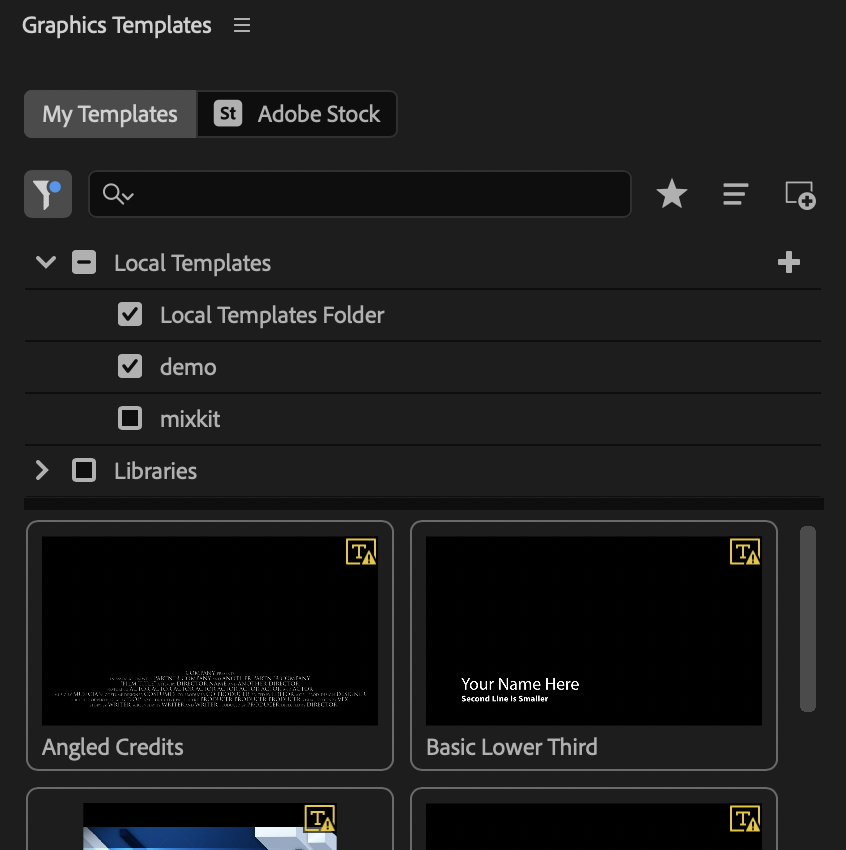
The Premiere Pro Add Motion Graphic Template Library Action node enables the addition of Motion Graphic folders to Premiere Pro’s “Graphic Template” panel.
Graphics Template panel in Premiere Pro
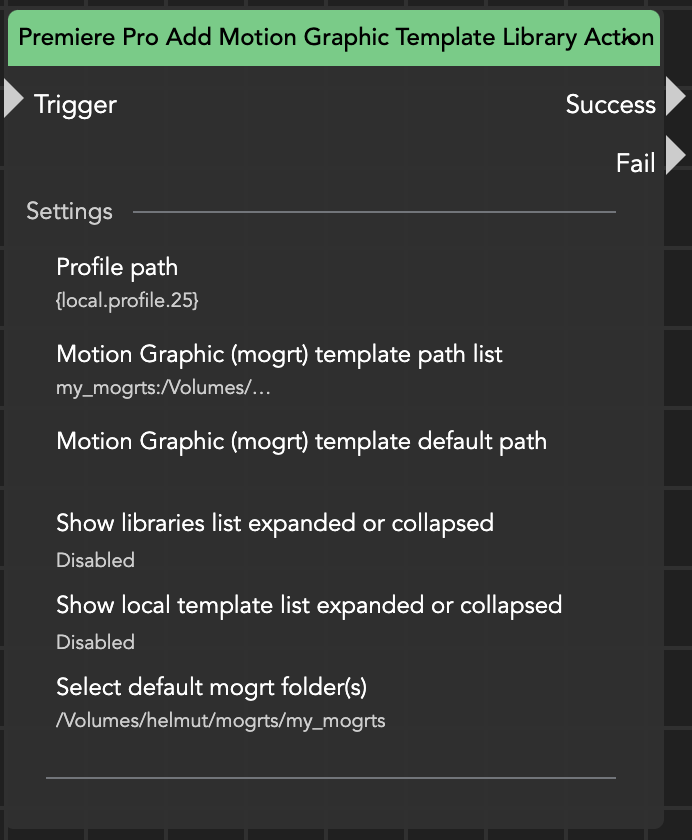
Within this node, you can configure the following parameters:
* **Profile Path**\
Specifies the path to the current user's profile on the workstation.
* **Motion Graphic (mogrt) Template Path List**\
Defines a key/value pair in which you can assign a name and specify the parent folder path containing the mogrt file(s).
* Key: my\_mogrts
* Value: /Volumes/helmut/mogrts/my\_mogrts
* **Motion Graphic (mogrt) Template Default Path** (optional)\
Sets the default path value for the templates.
* **Show Libraries List Expanded or Collapsed**\
When set to true, the libraries are displayed in an expanded view.
* **Show Local Template List Expanded or Collapsed**\
When set to true, the local templates are displayed in an expanded view.
* **Selecet default mogrt folder(s)** (optional)\
Define which folders should be active
{% hint style="warning" %}
When using this node on a Windows client, ensure that the paths within the mogrt template path list are JSON-escaped.
For example:\
\\\\\\\share-name\\\mogrt\\\my\_mogrts
{% endhint %}
Premiere Pro Add Motion Graphic Template Library Action