> For the complete documentation index, see [llms.txt](https://docs.helmut.de/helmut4-releases/llms.txt). Markdown versions of documentation pages are available by appending `.md` to page URLs; this page is available as [Markdown](https://docs.helmut.de/helmut4-releases/v4.11.0/support/debug-or-log-collection/helmut4-server/retrieve-helmut4-container-log.md).
# Retrieve helmut4 container log
If these systems are not working as intended, it makes sense to check the individual logs of the dedicated module or linked trigger.
A good starting point is always the [job](/helmut4-releases/v4.11.0/helmut4-components/helmutio/dashboard.md#log-file) and [client logs](/helmut4-releases/v4.11.0/support/debug-or-log-collection/helmut4-client/retrieve-the-helmut4-client-log.md) to verify if the issue is local or on the server/container side.
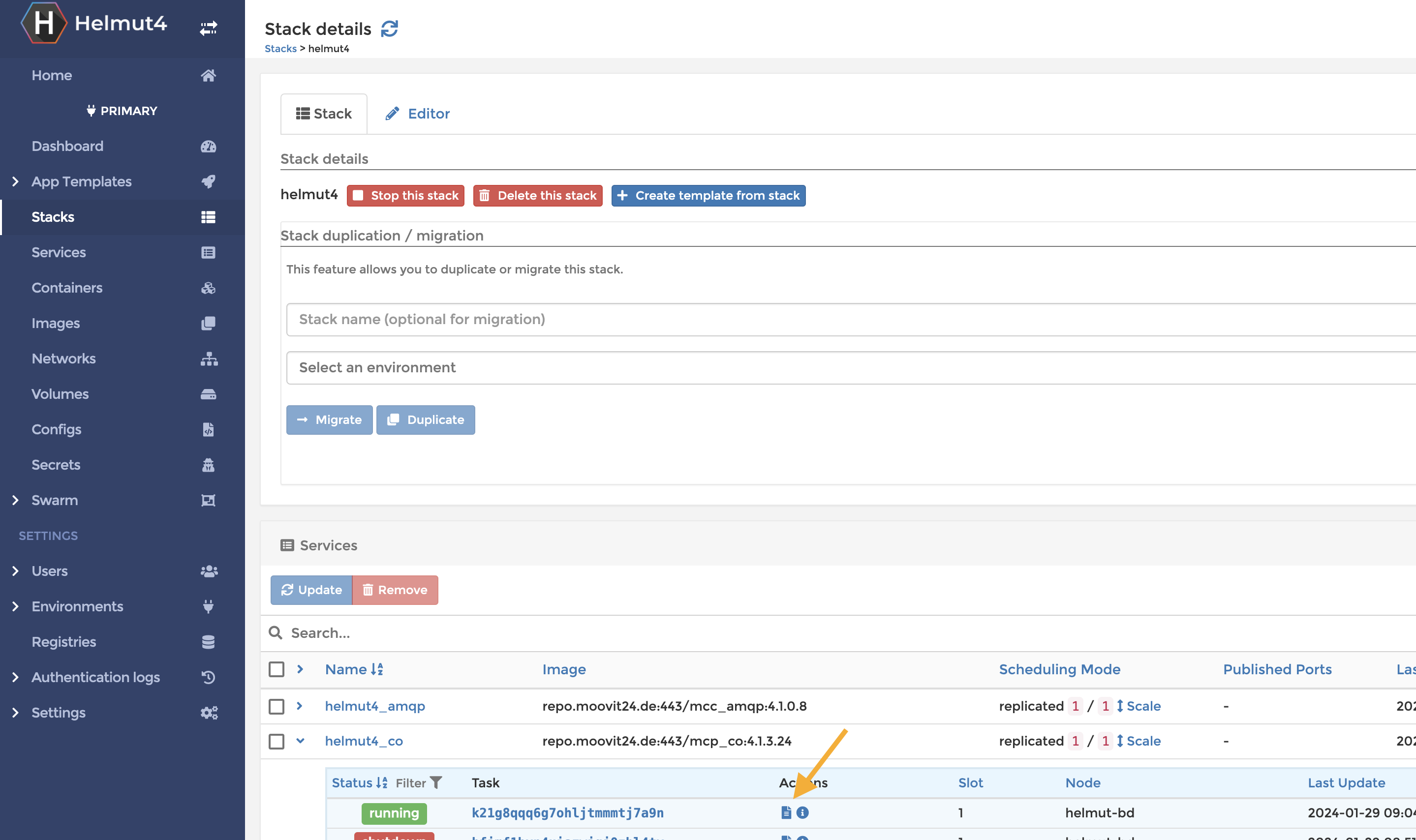
To access the container logs, log in to Portainer at http\://:9000 and navigate to the Helmut4 stack.
Expand the container you are looking for and click the small spreadsheet icon.
helmut4 stack - open container log
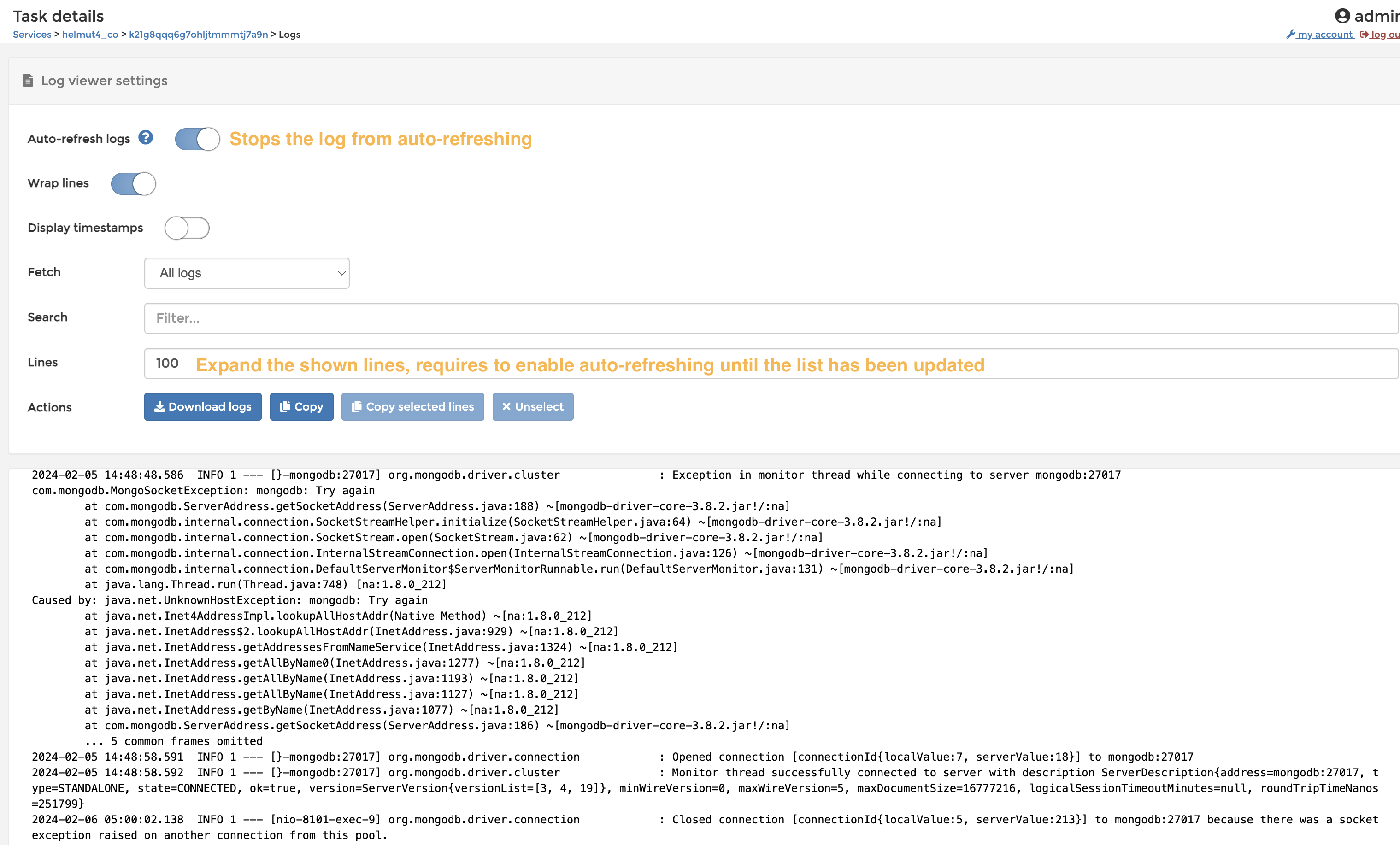
This will open a new window displaying the container's log. If necessary, you can expand the displayed lines until you find the desired log entry. When searching for a specific entry, you need to disable the auto-refresh toggle, as the log tends to jump to its end while searching.
A simple explanation of containers and their helmut4 endpoints:
* AMQP - message queue, used for internal communication for RabbitMQ
* CO - Cosmo related nodes and actions, CO streams executed by a server (eg Added\_Asset)
* Cronjob - Cron timers which have been set within HK or the dashboard purge in the preferences
* FX - FX related streams executed by a server
* HK - HX related streams executed by a server
* HP - Panel communication (Adobe extension <-> server)
* HW - Frontend, website
* IO - IO related streams executed by a server, watchfolder scanning, dashboard purging
* Language - Languages
* License - License management and helmut client source
* Logging - Logging of misc. actions
* Metadata - Metadata related actions
* Mongoadmin - MongoDB GUI frontend
* Mongobackup - Backup and restore of cron backups
* Preferences - Preferences
* RabbitMQ - Message broker
* Streams - Streams related streams executed by a server or test mode,
* Traefik - Revers Proxy
* Users - User related streams executed by a server (eg Custom\_User), connection of clients, user import & management, eg AD