> For the complete documentation index, see [llms.txt](https://docs.helmut.de/helmut4-releases/llms.txt). Markdown versions of documentation pages are available by appending `.md` to page URLs; this page is available as [Markdown](https://docs.helmut.de/helmut4-releases/v4.12.0/helmut4-components/streamdesigner/nodes/actions/cosmo-16/cosmo-change-asset-metadata-action.md).
# Cosmo Change Asset Metadata Action
The **Cosmo Change Asset Metadata Action** node adds or updates custom metadata on an asset in Cosmo.
It allows management of user-defined metadata beyond standard job or project metadata. The node writes one or more metadata key–value pairs to the asset entry in the Cosmo database. New entries are created if the key does not exist, and existing entries are updated if the key is already present.
This node only adds or updates metadata. To delete specific metadata keys from an asset, use the [Cosmo Delete Asset Metadata Action](/helmut4-releases/v4.12.0/helmut4-components/streamdesigner/nodes/actions/cosmo-16/cosmo-delete-asset-metadata-action.md) node.
The metadata is stored in the database (MongoDB `assetDB`) within the `customMetadata` array.
The node can be used on already indexed assets.
{% hint style="info" %}
#### Important Timing Note
Avoid executing this node immediately after [Cosmo Add Asset to Project Action.](/helmut4-releases/v4.12.0/helmut4-components/streamdesigner/nodes/actions/cosmo-16/cosmo-add-asset-to-project-action.md)\
The asset may not yet be fully available in the database. If both nodes are used in the same stream, insert a [Sleep node](/helmut4-releases/v4.12.0/helmut4-components/streamdesigner/nodes/actions/misc-21/sleep-action.md) between them (recommended delay: **at least 4000 ms**).
{% endhint %}
#### How the Target Asset Is Determined
Version V3 introduces two different ways to select assets:
**Asset ID (single asset update)**
Provide the **Asset ID** to update metadata for one specific asset.
**Asset Path (bulk update)**
Provide an **Asset Path** to update all database entries that reference this file path.
If **Asset Path** is filled, it takes priority and the **Asset ID** is ignored.
> The asset lookup is performed using the Unix path representation. Ensure that path mappings and stored paths in the database are consistent.
#### Input Parameters
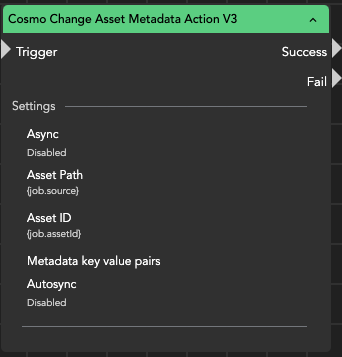
**Asset Path (optional)**\
Full path to the media file. Updates metadata for all matching assets in the database.
**Asset ID**\
Database ID of the specific asset to update. Used only if Asset Path is empty.
**Metadata Key–Value Pairs**\
List of custom metadata entries to add or update.
**Auto Sync**\
If enabled, the metadata changes are synchronized automatically when the project is opened.\
If disabled, the panel will show pending synchronization and must be synced manually.
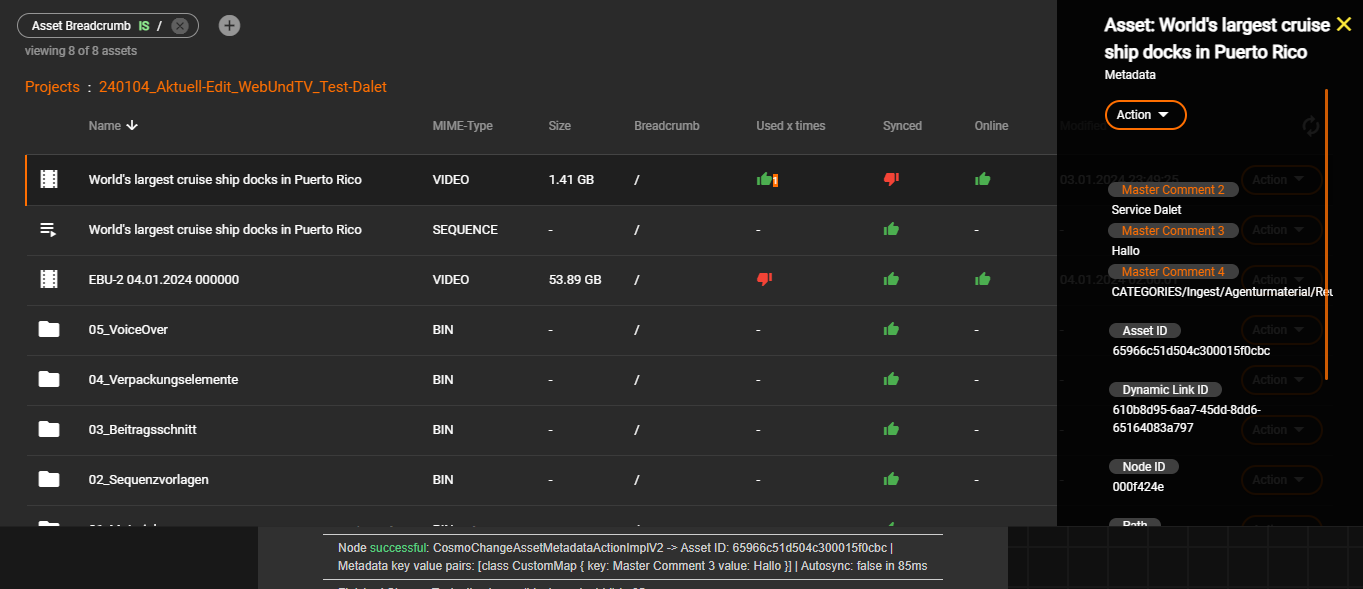
When Auto Sync is disabled, the panel displays an orange counter indicating how many assets require synchronization.
Cosmo Change Asset Metadata Action V3 node
#### Behavior
* Adds new metadata fields or updates existing ones
* Works on individual assets or multiple assets (by path)
* Does not modify the media file itself
* Updates only the Cosmo database
* Supports asynchronous execution
#### Typical Use Cases
* tagging assets with review status (e.g., Approved, Rejected)
* adding technical QC results
* assigning ownership or department tags
* adding archive or retention information
* enriching metadata after automated analysis workflows
#### Practical Note
This node is essentially your workflow tagging system.\
Instead of encoding information into filenames or folders, you can attach structured metadata directly to the asset — and automation can react to it later (archive, publish, notify, or restrict usage).