> For the complete documentation index, see [llms.txt](https://docs.helmut.de/helmut4-releases/llms.txt). Markdown versions of documentation pages are available by appending `.md` to page URLs; this page is available as [Markdown](https://docs.helmut.de/helmut4-releases/v4.13.0/helmut4-components/streamdesigner/nodes/actions/misc-21/json-related-nodes-2/json-extract-action.md).

# JSON Extract Action

<details>

<summary><strong>JSON Extract Action (V2)</strong></summary>

The **JSON Extract Action** node allows you to read and extract specific values from a JSON payload.\
It is typically used to process structured data returned by other nodes, such as [FFProbe as JSON Action](/helmut4-releases/v4.13.0/helmut4-components/streamdesigner/nodes/actions/misc-21/ffprobe-as-json-action.md), [MediaInfo as JSON Action](/helmut4-releases/v4.13.0/helmut4-components/streamdesigner/nodes/actions/file-and-folder-22/mediainfo-1/mediainfo-as-json-action.md), or any external REST API response.

Instead of handling the full JSON manually, this node lets you target a single value and reuse it later in the stream.

#### Input Parameters

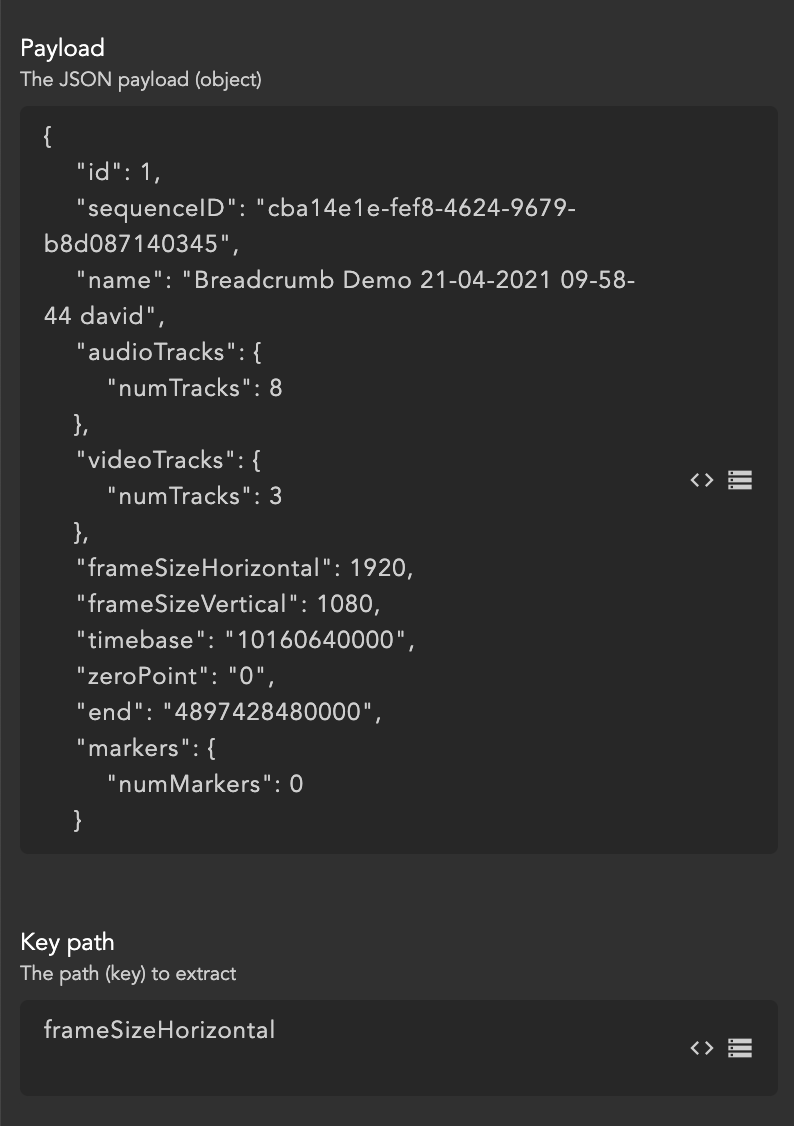
**Payload**\
The complete JSON object from which the value should be extracted.

The payload can be provided:

* directly as JSON text
* via [{node.result.?}](/helmut4-releases/v4.13.0/helmut4-components/streamdesigner/wildcards/result-or-return-wildcards-2/node-result.md)
* via [{stream.last\_result}](/helmut4-releases/v4.13.0/helmut4-components/streamdesigner/wildcards/result-or-return-wildcards-2/stream-last_result.md)
* from a file using [{file.content.?}](/helmut4-releases/v4.13.0/helmut4-components/streamdesigner/wildcards/file-related-wildcards-5/file-content.md)

> The payload must always be valid JSON.
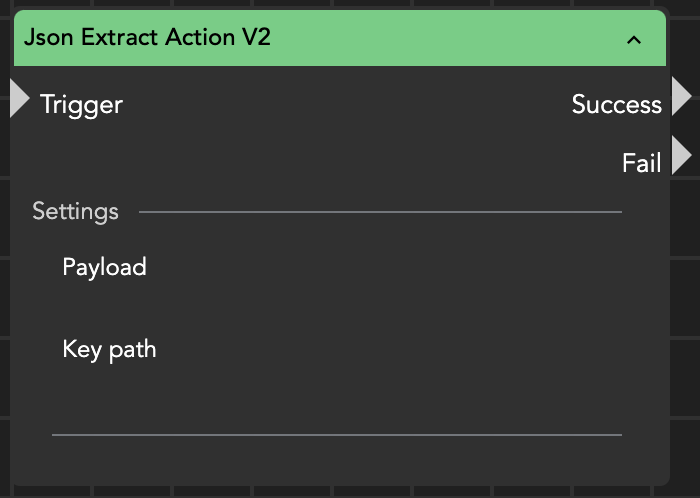
<figure><img src="/files/tRVnXMchCT2QHLtigIgn" alt="" width="350"><figcaption><p>JSON extract action</p></figcaption></figure>

<figure><img src="/files/kGnmKRqiFrKzaou37Xyn" alt="" width="375"><figcaption><p>JSON Extract Action node parameters</p></figcaption></figure>

**Key path**\
Defines which value inside the JSON structure should be read.

The path follows object navigation notation:

* Use `.` to access nested objects
* Use `[index]` to access array entries

Example:

```
audioTracks.numTracks
videoTracks.numTracks
markers.numMarkers
```

***

#### Output and Wildcards

The extracted value is returned as the node result and can be accessed using:

* [{stream.last\_result}](/helmut4-releases/v4.13.0/helmut4-components/streamdesigner/wildcards/result-or-return-wildcards-2/stream-last_result.md)
* [{node.result.?}](/helmut4-releases/v4.13.0/helmut4-components/streamdesigner/wildcards/result-or-return-wildcards-2/node-result.md)

***

#### Example

Given the following payload:

```json
{
  "frameSizeHorizontal": 1920,
  "frameSizeVertical": 1080,
  "audioTracks": {
    "numTracks": 8
  },
  "videoTracks": {
    "numTracks": 3
  }
}
```

If the **Key path** is:

```
frameSizeHorizontal
```

the node returns:

```
1920
```

If the **Key path** is:

```
audioTracks.numTracks
```

the node returns:

```
8
```

#### Using a JSON File

If the JSON exists only as a file, first reference its content as the payload:

```
{file.content./Volumes/myfiles/myfile.json}
```

The node will then parse the file and allow extraction using the defined key path.

#### Typical Use Cases

* reading resolution, duration, or codec data from FFProbe/MediaInfo output
* retrieving IDs returned by APIs
* extracting metadata from webhook responses
* obtaining track counts, frame rates, or markers from media analysis
* feeding extracted values into metadata fields or conditional logic

#### Practical Tip

This node becomes especially powerful when chained after an **HTTP Request Action**.\
A common workflow is:

API call → JSON Extract → Metadata / Rename / Routing

Instead of parsing the response manually in JavaScript, let this node do the structured extraction — it is faster, clearer, and far less error-prone.

</details>

#### JSON Extract Action (V3)

**What’s New in V3**

JSON Extract Action V3 extends the functionality of V2 by allowing multiple values to be extracted from a single JSON payload in one execution.

While V2 extracts a single value and returns it as the node result, V3 allows multiple JSON paths to be configured simultaneously. Each extracted value is written directly into a temporary stream variable, eliminating the need to chain several JSON Extract nodes when multiple values from the same payload are required.

This results in simpler, more readable, and more efficient stream designs.

***

### Overview

The JSON Extract Action V3 node allows you to extract one or more values from a JSON payload and store them as temporary stream variables.

It is typically used to process structured data returned by other nodes, such as FFProbe as JSON Action, MediaInfo as JSON Action, or external REST APIs.

Instead of manually parsing JSON or using multiple extraction nodes, V3 performs all required extractions in a single step.

<figure><img src="/files/VXr0mVUVsLvN4oYakKVF" alt="" width="350"><figcaption><p>JSON Extract Action (V3)</p></figcaption></figure>

***

### Input Parameters

#### Payload

The complete JSON object from which values should be extracted.

The payload can be provided:

* directly as JSON text
* via `{node.result.?}`
* via `{stream.last_result}`
* from a file using `{file.content.?}`

The payload must always contain valid JSON.

***

#### Variable Key-Value Pairs

Defines one or more JSON path to variable assignments.

Each entry consists of:

* Key – The JSON path of the value to extract.
* Value – The name of the temporary stream variable that will receive the extracted value.

The JSON path supports:

* `.` for nested objects
* `[index]` for array elements

Examples:

| JSON Path               | Stream Variable |
| ----------------------- | --------------- |
| `frameSizeHorizontal`   | `width`         |
| `frameSizeVertical`     | `height`        |
| `audioTracks.numTracks` | `audioTracks`   |
| `info.users[0].name`    | `userName`      |

***

### Output

Each configured value is written into a [temporary stream variable](/helmut4-releases/v4.13.0/helmut4-components/streamdesigner/wildcards/variable-related-wildcards-3/stream-variable.md).

The variables can be accessed anywhere later in the stream using:

```
{stream.variable.<variableName>}
```

For example:

```
{stream.variable.width}
{stream.variable.height}
{stream.variable.audioTracks}
{stream.variable.userName}
```

Unlike V2, the extracted values are not returned as the node result.

***

### Example

Given the following payload:

```json
{
  "frameSizeHorizontal": 1920,
  "frameSizeVertical": 1080,
  "audioTracks": {
    "numTracks": 8
  },
  "info": {
    "users": [
      {
        "name": "Peter Griffin"
      }
    ]
  }
}
```

Configure the following mappings:

| JSON Path               | Variable |
| ----------------------- | -------- |
| `frameSizeHorizontal`   | `width`  |
| `frameSizeVertical`     | `height` |
| `audioTracks.numTracks` | `tracks` |
| `info.users[0].name`    | `editor` |

After execution the following variables become available:

```
{stream.variable.width}    → 1920
{stream.variable.height}   → 1080
{stream.variable.tracks}   → 8
{stream.variable.editor}   → Peter Griffin
```

***

### Using a JSON File

If the JSON exists as a file, reference its content as the payload:

```
{file.content./Volumes/myfiles/myfile.json}
```

The node parses the JSON document and extracts all configured values.

***

### Typical Use Cases

* Extract multiple values from FFProbe or MediaInfo output.
* Read several IDs or metadata fields returned by REST APIs.
* Process webhook responses.
* Retrieve media information such as resolution, duration, codecs, or track counts.
* Populate multiple stream variables for later conditions, metadata nodes, or routing decisions.

***

### Practical Tip

JSON Extract Action V3 is particularly useful after an HTTP Request Action, FFProbe as JSON Action, or MediaInfo as JSON Action, where multiple values from the same response are required.

Instead of using several extraction nodes:

```
HTTP Request
      ↓
JSON Extract V2
      ↓
JSON Extract V2
      ↓
JSON Extract V2
```

a single V3 node is sufficient:

```
HTTP Request
      ↓
JSON Extract V3
      ↓
Conditions / Metadata / Rename / Routing
```

This approach reduces duplicate JSON parsing, improves stream readability, and simplifies maintenance.