> For the complete documentation index, see [llms.txt](https://docs.helmut.de/helmut4-releases/llms.txt). Markdown versions of documentation pages are available by appending `.md` to page URLs; this page is available as [Markdown](https://docs.helmut.de/helmut4-releases/v4.8.0/helmut4-components/helmutfx/preferences/modules/catdv-module.md).
# CatDV Module
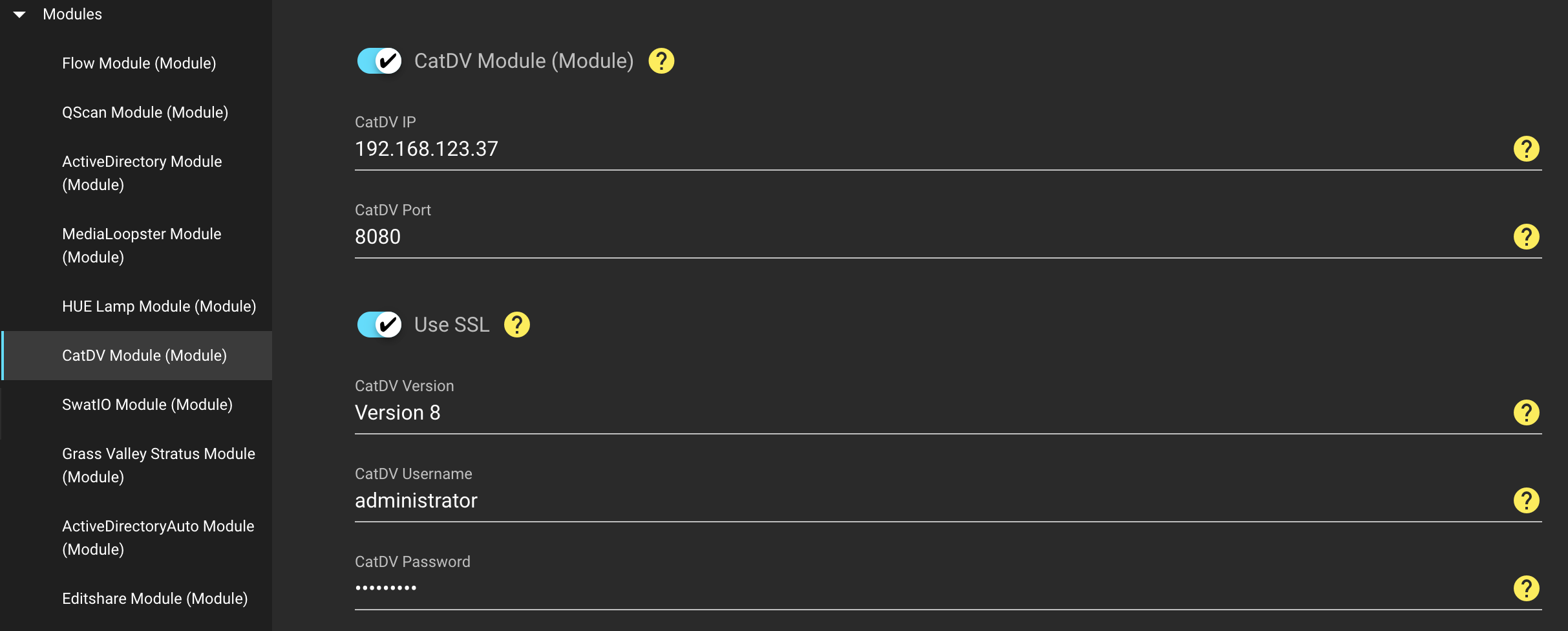
This module enables the communication between the CatDV stream nodes and CatDV (Quantum).
The module is easy to set up and requires the following informations:
* IP address of the CatDV server / endpoint
* Port of the CatDV server/endpoint
* Username of the CatDV Admin user
* Password of the CatDV Admin user
* CatDV Version
* SSL mode
Helmut4 currently only supports CatDV v8.
CatDV Module
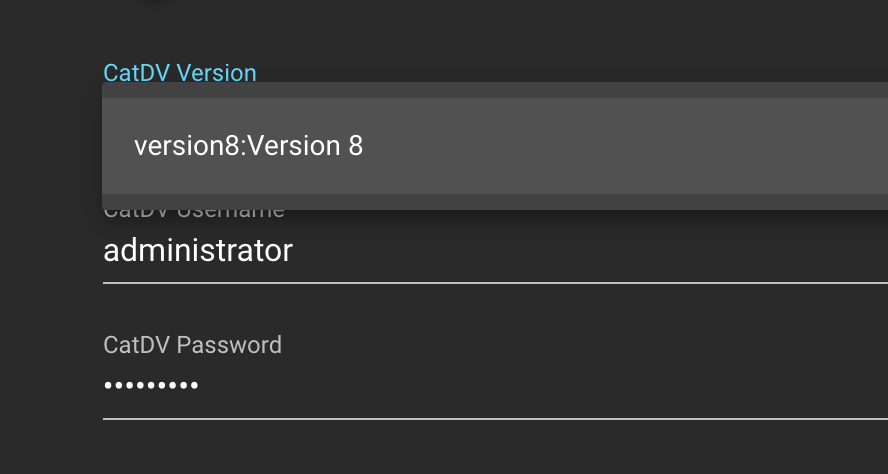
If you are coming from an earlier Helmut4 release (4.0.7 and below), you might see these options in the CatDV Version dropdown. To fix this issue, expand the guideline below.
Broken CatDV version dropdown
Patch wrong CatDV Version dropdown
The issue for the wrong format of the version is coming from a change, which has been introduced in Helmut 4.0.7.
\
To address this issue, a connection to the mongodb is required - if you need helpt to apply the changes, reach out to the support team.
### mcc\_preferences/preferenceDBO
Wrong / not working yaml-configuration
```yaml
{
"_id": ObjectId("5e21ee3885ccb3000139c78f"),
"name": "CatDV Version",
"type": "SELECT",
"allowedValues": [
"version8:Version 8"
],
"_public": true,
"value": "version8",
"key": "MODULE_CATDV_VERSION",
"description": "CatDV Version",
"category": "Modules",
"tags": [
"FX",
"IO",
"CO",
"HK"
],
"_class": "preferences.model.PreferenceDBO"
}
```
#### Working yaml-configuration
```yaml
{
"_id": ObjectId("5e21ee3885ccb3000139c78f"),
"name": "CatDV Version",
"type": "SELECT",
"allowedValues": [
"version8:::Version 8"
],
"_public": true,
"value": "version8",
"key": "MODULE_CATDV_VERSION",
"description": "CatDV Version",
"category": "Modules",
"tags": [
"FX",
"IO",
"CO",
"HK"
],
"_class": "preferences.model.PreferenceDBO"
}
```