> For the complete documentation index, see [llms.txt](https://docs.helmut.de/helmut4-releases/llms.txt). Markdown versions of documentation pages are available by appending `.md` to page URLs; this page is available as [Markdown](https://docs.helmut.de/helmut4-releases/v4.9.1/helmut4-components/helmutio/metadata.md).
# Metadata
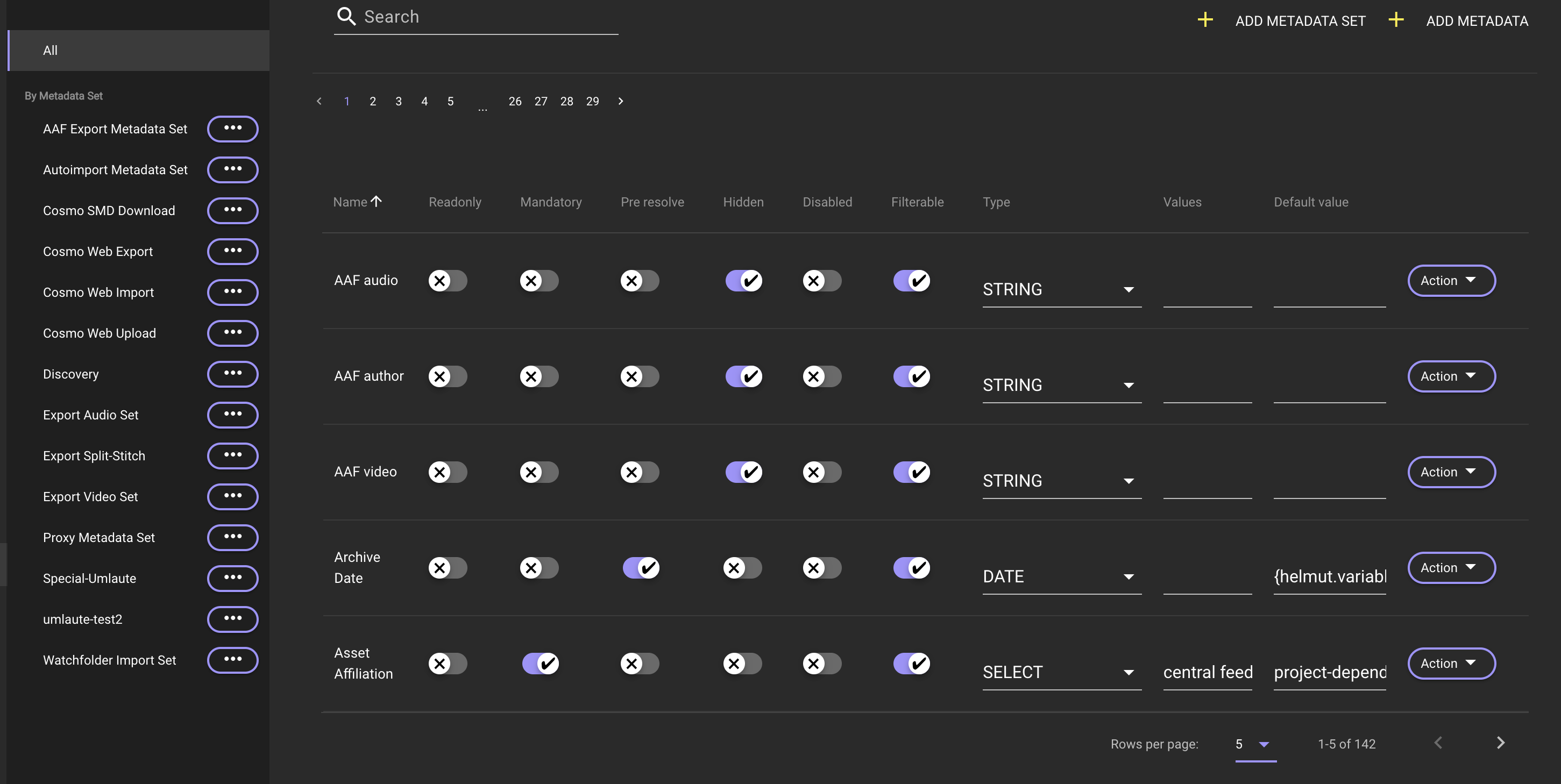
The metadata menu is nearly identical across all four modules: [FX](/helmut4-releases/v4.9.1/helmut4-components/helmutfx.md), [IO](/helmut4-releases/v4.9.1/helmut4-components/helmutio.md), [CO](/helmut4-releases/v4.9.1/helmut4-components/helmutco.md) and [HK](/helmut4-releases/v4.9.1/helmut4-components/helmuthk.md), with the exception of the option to create a [Metadata Set](#metadata-set). Refer to this page for more information on [Metadata Set](#metadata-set).
For more information navigate to the [HelmutFX metadata](/helmut4-releases/v4.9.1/helmut4-components/helmutfx/metadata.md) tab:
{% content-ref url="/pages/6EAIUb3MpuUJjuIMSbmZ" %}
[Metadata](/helmut4-releases/v4.9.1/helmut4-components/helmutfx/metadata.md)
{% endcontent-ref %}
HelmutIO Metadata
### Metadata Differences for IO, CO & HK vs FX
The difference between the metadata in FX compared to IO, CO & HK is as follows:
1. **Metadata in FX - Project Metadata**
* The metadata of FX serves as project metadata
* FX metadata can exclusively be assigned to groups
* Addition, editing, and removal of FX metadata from projects are only possible when not assigned previously
* Recall of project metadata is facilitated using the [{project.metadata.?}](/helmut4-releases/v4.9.1/helmut4-components/streamdesigner/wildcards/project-related-wildcards-27/project-metadata.md) wildcard
2. **Metadata in IO, CO & HK - Job Metadata**
* The metadata of IO, CO & HK serves as job (asset) metadata
* Job metadata can exclusively be assigned to [Metadata Set](#metadata-set)
* Job metadata can be added, edited, or removed from assets, provided that they have not been assigned through a [Metadata Set](#metadata-set) previously
* Recall of job metadata is facilitated using the [{job.metadata.?} ](/helmut4-releases/v4.9.1/helmut4-components/streamdesigner/wildcards/job-related-wildcards-32/job-metadata.md)wildcard
### Related Job Metadata Nodes
These nodes are related to job metadata:
* [Job Metadata Changer Action](/helmut4-releases/v4.9.1/helmut4-components/streamdesigner/nodes/actions/job-action/job-metadata-changer-action.md)
* [Job Metadata Remove Action](/helmut4-releases/v4.9.1/helmut4-components/streamdesigner/nodes/actions/job-action/job-metadata-remove-action.md)
* [Cosmo Get Asset Metadata Action](/helmut4-releases/v4.9.1/helmut4-components/streamdesigner/nodes/actions/cosmo/cosmo-get-asset-metadata-action.md)
* [Cosmo Change Asset Metadata Action](/helmut4-releases/v4.9.1/helmut4-components/streamdesigner/nodes/actions/cosmo/cosmo-change-asset-metadata-action.md)
* [Cosmo Delete Asset Metadata Action](/helmut4-releases/v4.9.1/helmut4-components/streamdesigner/nodes/actions/cosmo/cosmo-delete-asset-metadata-action.md)