> For the complete documentation index, see [llms.txt](https://docs.helmut.de/helmut4-releases/llms.txt). Markdown versions of documentation pages are available by appending `.md` to page URLs; this page is available as [Markdown](https://docs.helmut.de/helmut4-releases/v4.9.1/helmut4-components/streamdesigner/nodes/actions/helmut-8/helmut-choose-dialog-action.md).
# Helmut Choose Dialog Action
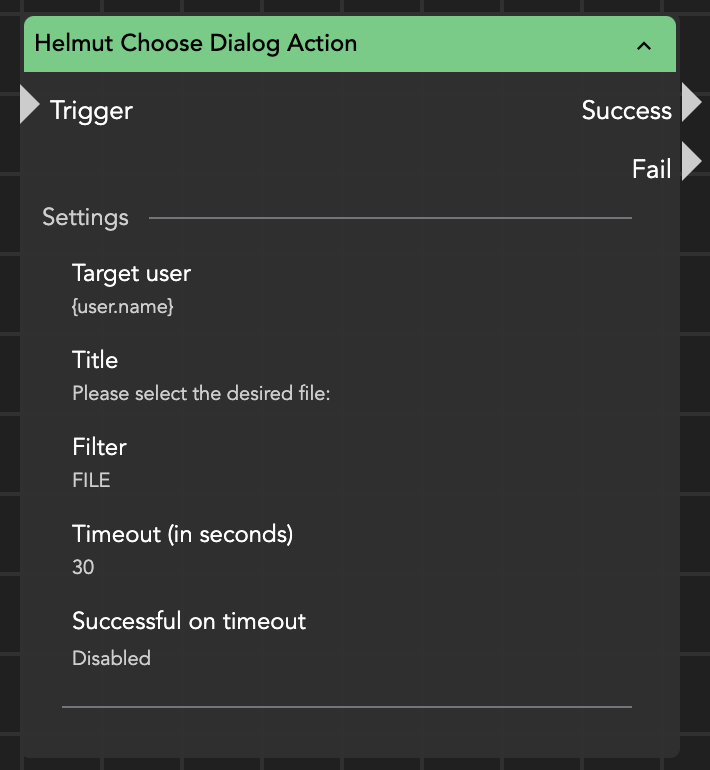
The "Helmut Choose Dialog Action" node enables users to select a file or folder within Helmut4. This selection can include a single file or folder, which will then be passed to subsequent nodes.
The node allows customization of the selection field with a default title text. Additionally, it incorporates a timeout mechanism; if the specified timeout period expires without user input, the node will fail.
Based on the user's interaction—either providing a file/folder path or declining the input—the node generates a response. This response is accessible via the wildcards {stream.last\_result} or {node.result.?} and contains the user's input or the action's outcome, supporting further processing within the Helmut4 environment.
Helmut Choose Dialog Action
{% hint style="warning" %}
This node is not intended to serve as a substitute for a web-based finder or explorer.
Its purpose is to provide a simple way to select a file or folder for use in a workflow, rather than to locate an asset within an unstructured environment.
For navigating complex folder structures with many files, a dedicated finder or explorer is recommended.
**Please note that when using this node in any FX stream, the 60-second timeout may terminate the stream if the navigation and search process takes too long.**
{% endhint %}