> For the complete documentation index, see [llms.txt](https://docs.helmut.de/helmut4-releases/llms.txt). Markdown versions of documentation pages are available by appending `.md` to page URLs; this page is available as [Markdown](https://docs.helmut.de/helmut4-releases/v4.12.0/helmut4-components/streamdesigner/nodes/actions/misc-21/json-related-nodes-2/json-extract-action.md).
# JSON Extract Action
### JSON Extract Action (V2)
The **JSON Extract Action** node allows you to read and extract specific values from a JSON payload.\
It is typically used to process structured data returned by other nodes, such as [FFProbe as JSON Action](/helmut4-releases/v4.12.0/helmut4-components/streamdesigner/nodes/actions/misc-21/ffprobe-as-json-action.md), [MediaInfo as JSON Action](/helmut4-releases/v4.12.0/helmut4-components/streamdesigner/nodes/actions/file-and-folder-22/mediainfo-1/mediainfo-as-json-action.md), or any external REST API response.
Instead of handling the full JSON manually, this node lets you target a single value and reuse it later in the stream.
#### Input Parameters
**Payload**\
The complete JSON object from which the value should be extracted.
The payload can be provided:
* directly as JSON text
* via [{node.result.?}](/helmut4-releases/v4.12.0/helmut4-components/streamdesigner/wildcards/result-or-return-wildcards-2/node-result.md)
* via [{stream.last\_result}](/helmut4-releases/v4.12.0/helmut4-components/streamdesigner/wildcards/result-or-return-wildcards-2/stream-last_result.md)
* from a file using [{file.content.?}](/helmut4-releases/v4.12.0/helmut4-components/streamdesigner/wildcards/file-related-wildcards-5/file-content.md)
> The payload must always be valid JSON.
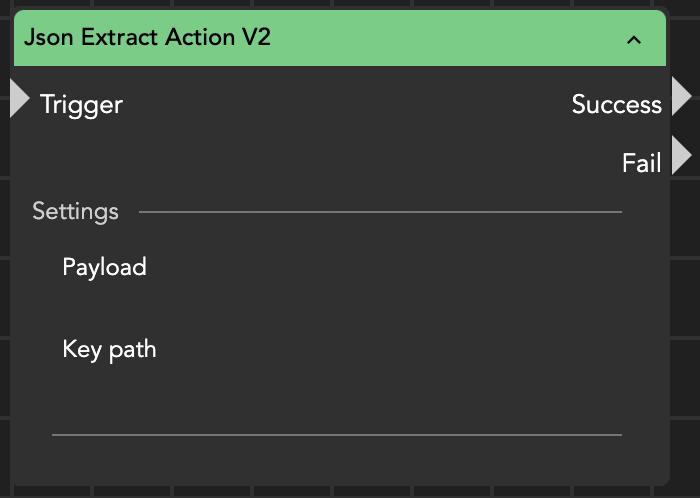
JSON extract action
JSON Extract Action node parameters
**Key path**\
Defines which value inside the JSON structure should be read.
The path follows object navigation notation:
* Use `.` to access nested objects
* Use `[index]` to access array entries
Example:
```
audioTracks.numTracks
videoTracks.numTracks
markers.numMarkers
```
***
#### Output and Wildcards
The extracted value is returned as the node result and can be accessed using:
* [{stream.last\_result}](/helmut4-releases/v4.12.0/helmut4-components/streamdesigner/wildcards/result-or-return-wildcards-2/stream-last_result.md)
* [{node.result.?}](/helmut4-releases/v4.12.0/helmut4-components/streamdesigner/wildcards/result-or-return-wildcards-2/node-result.md)
***
#### Example
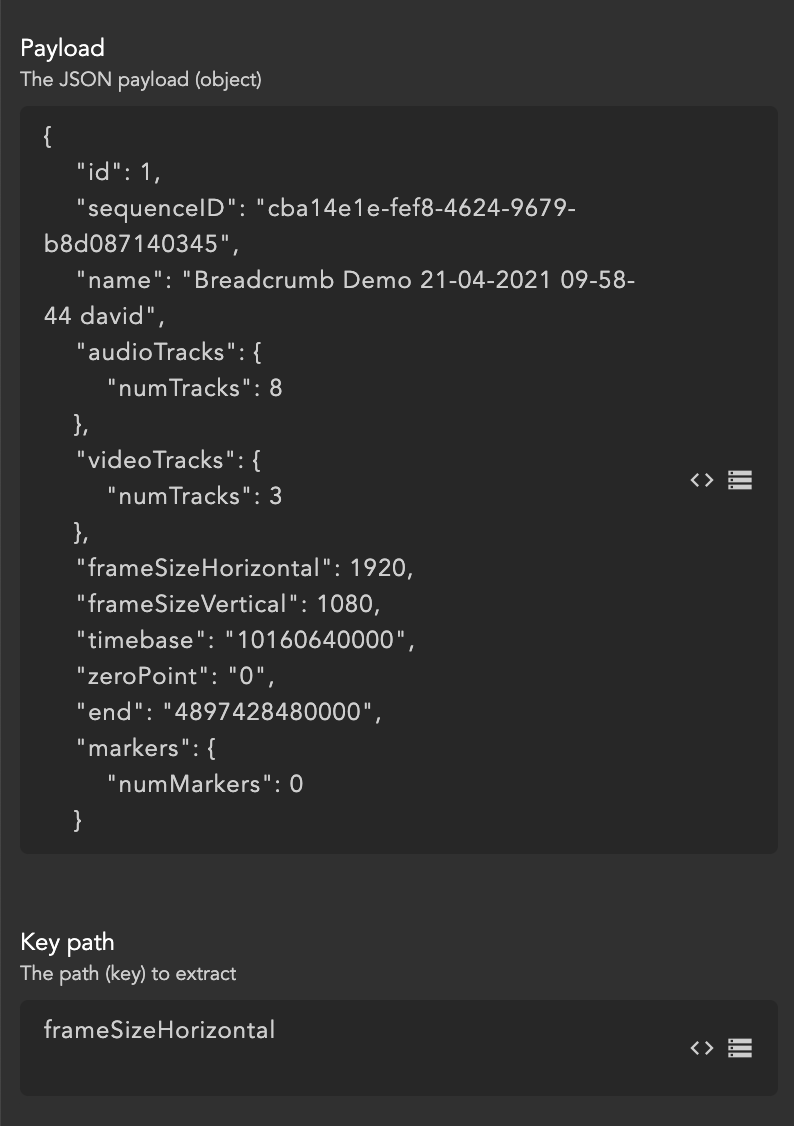
Given the following payload:
```json
{
"frameSizeHorizontal": 1920,
"frameSizeVertical": 1080,
"audioTracks": {
"numTracks": 8
},
"videoTracks": {
"numTracks": 3
}
}
```
If the **Key path** is:
```
frameSizeHorizontal
```
the node returns:
```
1920
```
If the **Key path** is:
```
audioTracks.numTracks
```
the node returns:
```
8
```
#### Using a JSON File
If the JSON exists only as a file, first reference its content as the payload:
```
{file.content./Volumes/myfiles/myfile.json}
```
The node will then parse the file and allow extraction using the defined key path.
#### Typical Use Cases
* reading resolution, duration, or codec data from FFProbe/MediaInfo output
* retrieving IDs returned by APIs
* extracting metadata from webhook responses
* obtaining track counts, frame rates, or markers from media analysis
* feeding extracted values into metadata fields or conditional logic
#### Practical Tip
This node becomes especially powerful when chained after an **HTTP Request Action**.\
A common workflow is:
API call → JSON Extract → Metadata / Rename / Routing
Instead of parsing the response manually in JavaScript, let this node do the structured extraction — it is faster, clearer, and far less error-prone.