> For the complete documentation index, see [llms.txt](https://docs.helmut.de/helmut4-releases/llms.txt). Markdown versions of documentation pages are available by appending `.md` to page URLs; this page is available as [Markdown](https://docs.helmut.de/helmut4-releases/v4.7.0/getting-started/misc/dynamic-share-mount-into-docker.md).
# Dynamic share mount into docker
By using bind mounts within the stack/compose configuration, it is possible to mount the root /mnt mount point into the docker environment. This means when a new share will be added on the host side, this will be available in the docker system.
The file or directory does not need to exist on the Docker host already. It is created on demand if it does not yet exist. Bind mounts are very performant, but they rely on the host machine’s filesystem having a specific directory structure available.
{% hint style="warning" %}
Please use this function with caution!\
\
The automatic/dynamic mounting of all sub-folders can be a security risk.\
\
***Please clarify this internally with your IT department beforehand.***
{% endhint %}
The changes for this are very easy and straight forward:
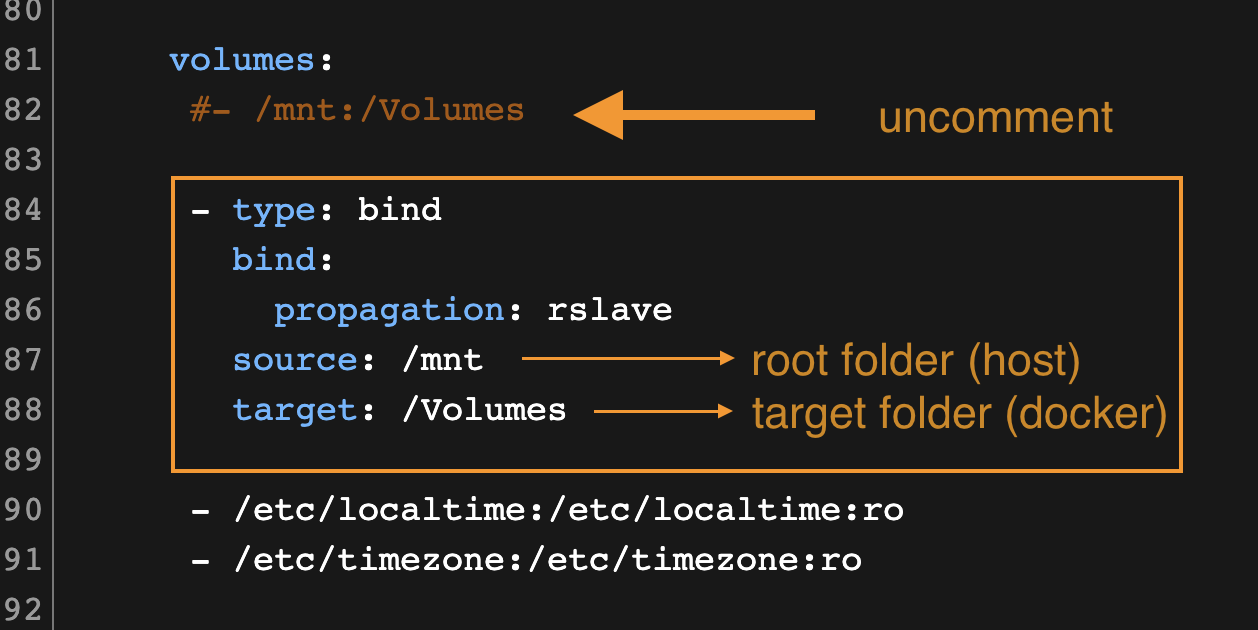
Volume mounting via bind
Consider that the default basic /mnt:/Volumes mounting needs to be removed or changed to a comment, as this would lead to an issue when deploying the stack.
Configuration example docker bind
```json
volumes:
- type: bind
bind:
propagation: rslave
source: /mnt
target: /Volumes
#- /mnt:/Volumes
- /etc/localtime:/etc/localtime:ro
- /etc/timezone:/etc/timezone:ro
```
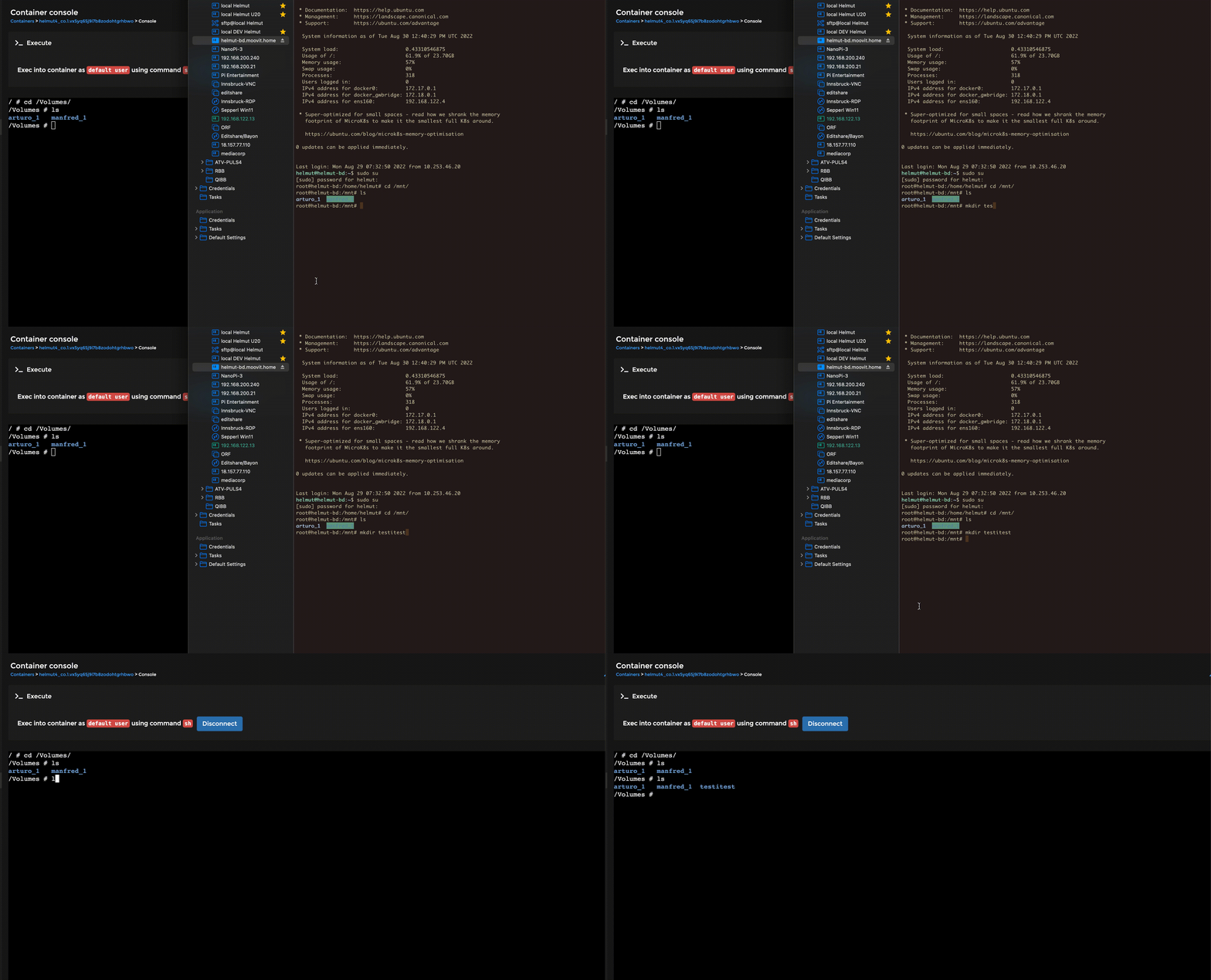
Demonstration of dynamic share mount in docker
{% hint style="info" %}
**For further information and assistance, here are the Docker references**\
\
[https://docs.docker.com/storage/bind-mounts](https://docs.docker.com/storage/bind-mounts/)\
{% endhint %}