> For the complete documentation index, see [llms.txt](https://docs.helmut.de/helmut4-releases/llms.txt). Markdown versions of documentation pages are available by appending `.md` to page URLs; this page is available as [Markdown](https://docs.helmut.de/helmut4-releases/v4.7.0/helmut4-components/streamdesigner/stream-variable-store.md).
# Stream Variable Store
Store variables are the third kind of variables which can be used within Helmut4.\
Beside the [Helmut Variables](/helmut4-releases/v4.7.0/helmut4-components/helmutfx/preferences/helmut-variables.md) and the [Temporary Stream Variables](/helmut4-releases/v4.7.0/helmut4-components/streamdesigner/nodes/actions/misc/stream-set-temporary-variable-action.md), Store Variables offer more flexibility towards creation, modification and deletion.
As temporary variables can only be created and used in a stream (they can be passed on to another stream by using [Stream Execute Generic Stream Action](/helmut4-releases/v4.7.0/helmut4-components/streamdesigner/nodes/actions/misc/stream-execute-generic-stream-action.md) or [Job Create Job Action](/helmut4-releases/v4.7.0/helmut4-components/streamdesigner/nodes/actions/job-action/job-create-job-action.md)), Helmut Variables can be used in any stream or path input fields (expect Watchfolder paths).
## Access Variable Store
The variable store can only be access from within a any stream. Simply click the "Variables" icon in the top menu bar, which will open the Variable Store as an overlay.
Open Store Variable within Stream
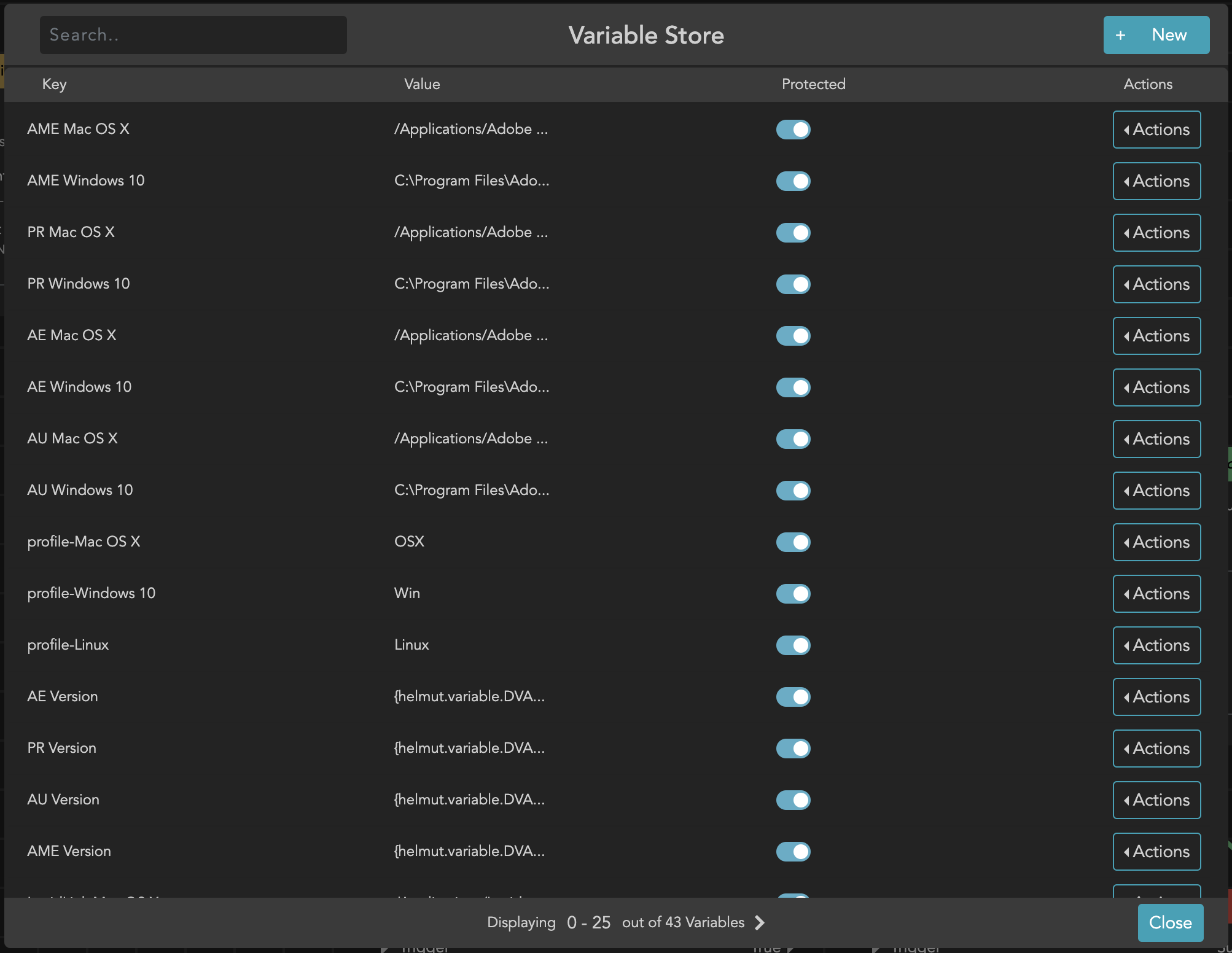
The Variable Store is showing all existing store variables, it will always show a pack of 25 variables. Navigating to the next page can be done using the bottom menu. Variables are listed ascending from their creation date.
(Store) Variable Store
### Creating a new store variable
There are two options to create a store variable.
1. Using the [Stream Set Store Variable Action](/helmut4-releases/v4.7.0/helmut4-components/streamdesigner/nodes/actions/misc/stream-set-store-variable-action.md)
2. Creating them within the Variable Store
To create a new one, simply click the **+ New** button in the top right of the Variable Store. This will open a new overlay.
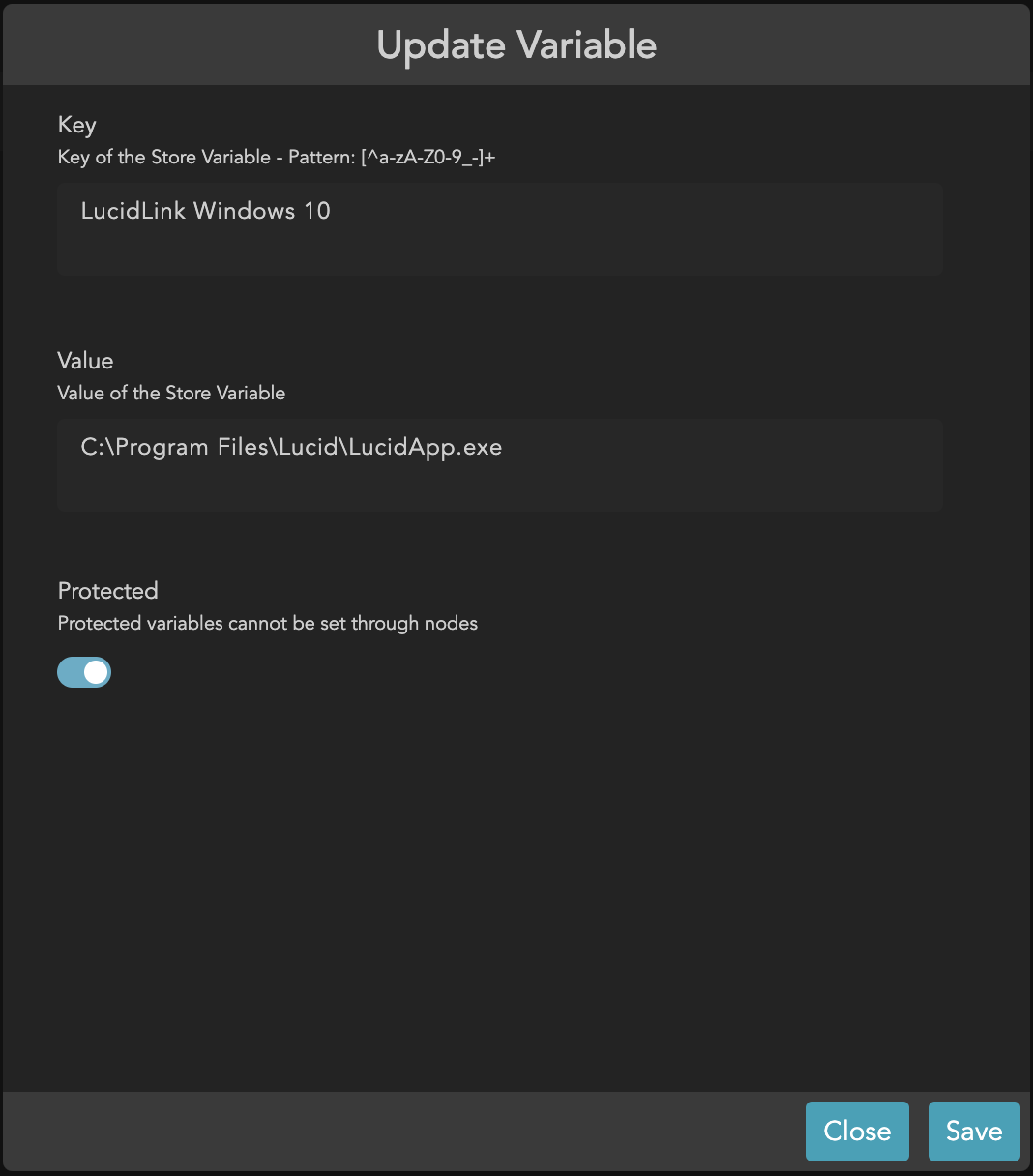
Modify Store Variable
The new windows will provide a mask with three input parameters which need to be defined.
* **Key**
* Name of the store variable
* Only alphanumeric characters are allowed: a-z A-Z 0-9\
as well as hyphen (-) and underscore (\_)
* This regex can be considered for all allowed characters \[^a-zA-Z0-9\_-]+
* Max length: 255
* **Value**
* Value/content of the store variable
* There are no limitations towards unsupported characters
* Max length: 1 million characters (1.000.000)
* **Protected**
* If the switch is activated/protected, the store variable can't be changed when using the [Stream Set Store Variable Action](/helmut4-releases/v4.7.0/helmut4-components/streamdesigner/nodes/actions/misc/stream-set-store-variable-action.md)