> For the complete documentation index, see [llms.txt](https://docs.helmut.de/helmut4-releases/llms.txt). Markdown versions of documentation pages are available by appending `.md` to page URLs; this page is available as [Markdown](https://docs.helmut.de/helmut4-releases/helmut4-components/streamdesigner/nodes.md).
# Nodes
Overview
There are three types of nodes in Helmut 4: [condition](/helmut4-releases/helmut4-components/streamdesigner/nodes/conditions.md) nodes, [action](/helmut4-releases/helmut4-components/streamdesigner/nodes/actions.md) nodes, and [output](/helmut4-releases/helmut4-components/streamdesigner/nodes/outputs.md) nodes.
Each node can be used as often as needed within a stream, but the sequence of nodes should reflect a logical connection.
For example, after creating a project (using the "create project" action), attempting to export this project with AME (using the "job render in AME" action) makes no sense. This is because AME only interprets files or sequences from a project, not the project itself.
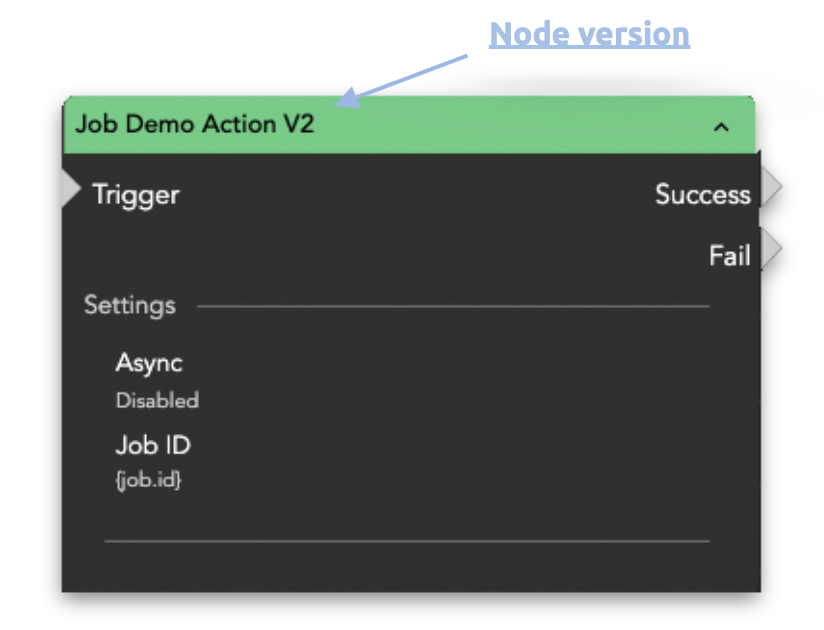
To have an overview of all used nodes within the stream designer, it's helpful to track the current version of specific nodes. Therefore, the suffix with the version number (e.g., V2) is part of the node’s name.
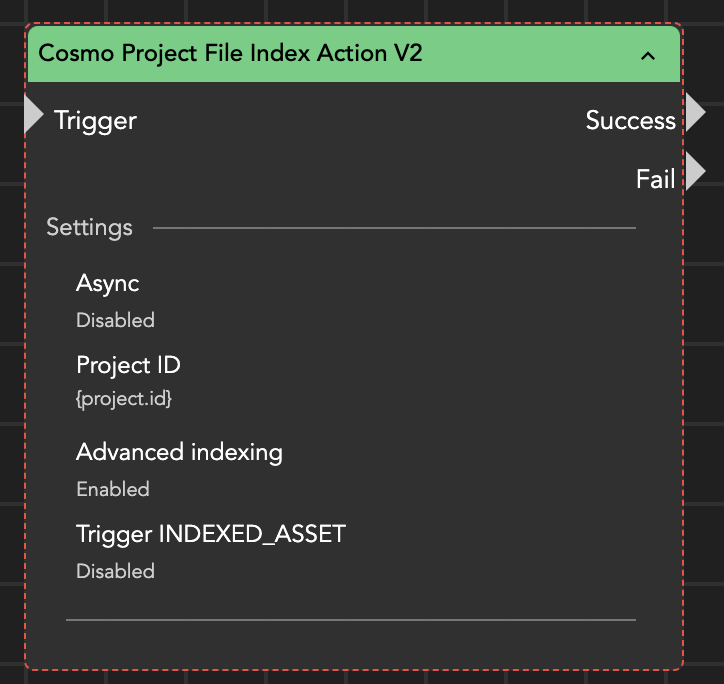
The version tag identifies a node, and from time to time, nodes will be replaced by newer versions. If this occurs, the node will have a red dotted border, indicating that it should be replaced. This change will be documented in the [changelog](/helmut4-releases/release-notes/changelog.md).
For further information about deprecated nodes, navigate to the [deprecation warning](/helmut4-releases/helmut4-components/streamdesigner/deprecation-warning.md) section.