> For the complete documentation index, see [llms.txt](https://docs.helmut.de/helmut4-releases/llms.txt). Markdown versions of documentation pages are available by appending `.md` to page URLs; this page is available as [Markdown](https://docs.helmut.de/helmut4-releases/support/debug-or-log-collection/helmut4-server/docker-housekeeping-or-container-not-starting.md).
# Docker Housekeeping | Container not starting
## Container not starting | constant restart
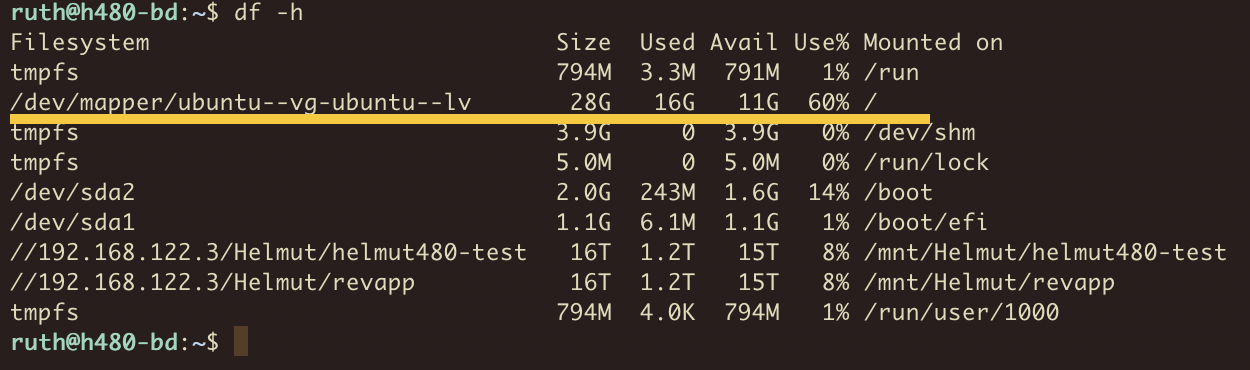
If you encounter a system where some containers fail to start and keep restarting, the first step is to check if the host server has run out of free space.
You can verify this using the terminal command:
```sh
df -h
```
Inspect the value for the `/` entry. If it is near 99% or 100%, it's time to clean up the host server.
Check size of internal storage
## Docker Housekeeping
Performing periodic housekeeping for Docker is essential to maintain system performance and free up resources. Each time a container restarts, it may release previously used resources that are not automatically cleaned up.
For example, updating Helmut4 to a newer version often involves downloading new images for the targeted Docker containers. Regular updates without cleaning can lead to a significant accumulation of unallocated resources.
## Freeing Up Space
### **Clean-Up via Portainer**
Portainer allows you to perform clean-ups in the following areas:
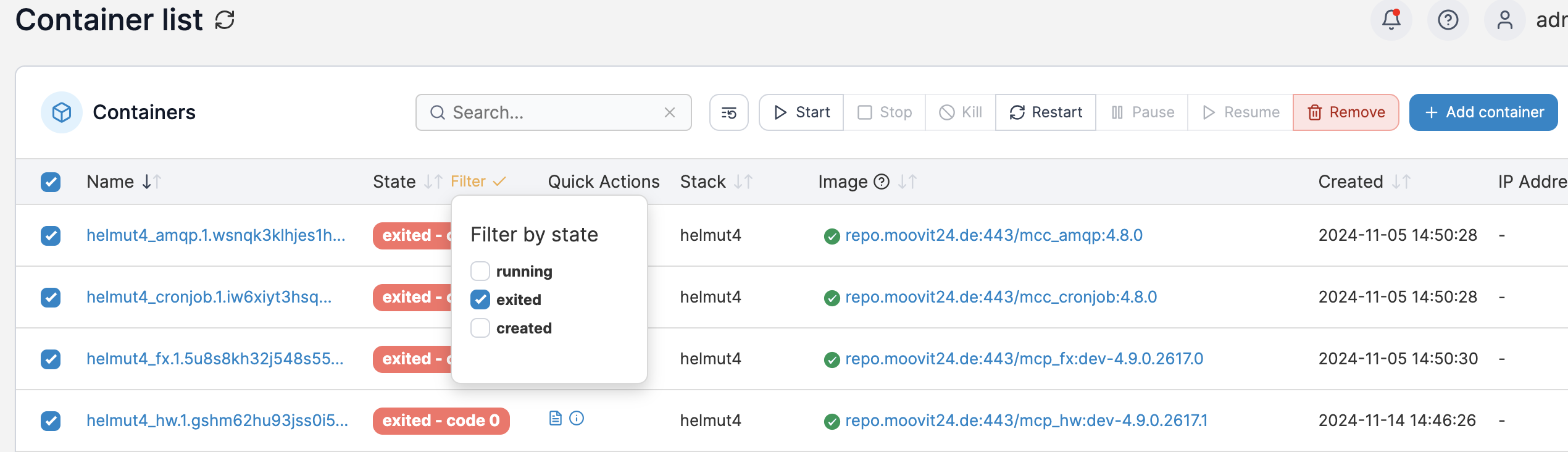
1. Containers
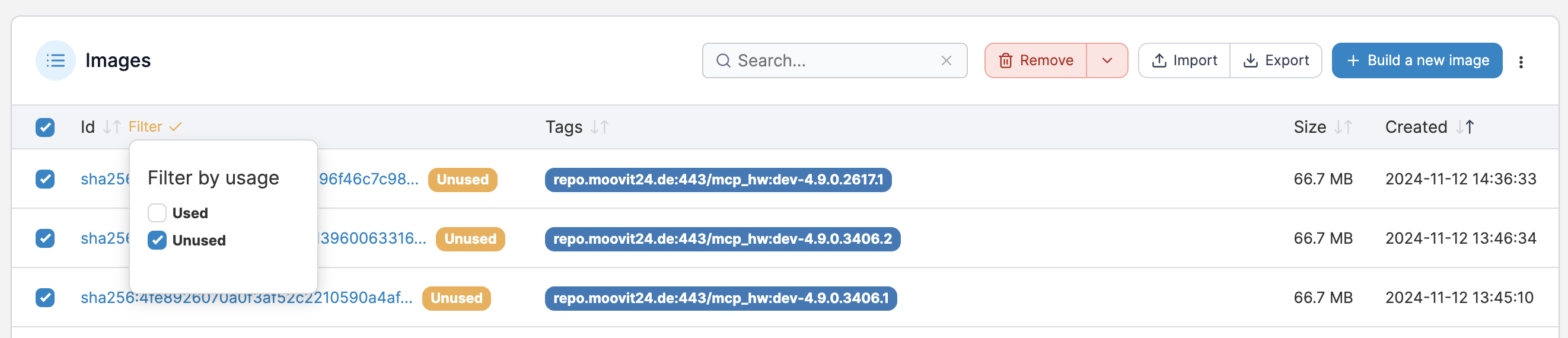
2. Images
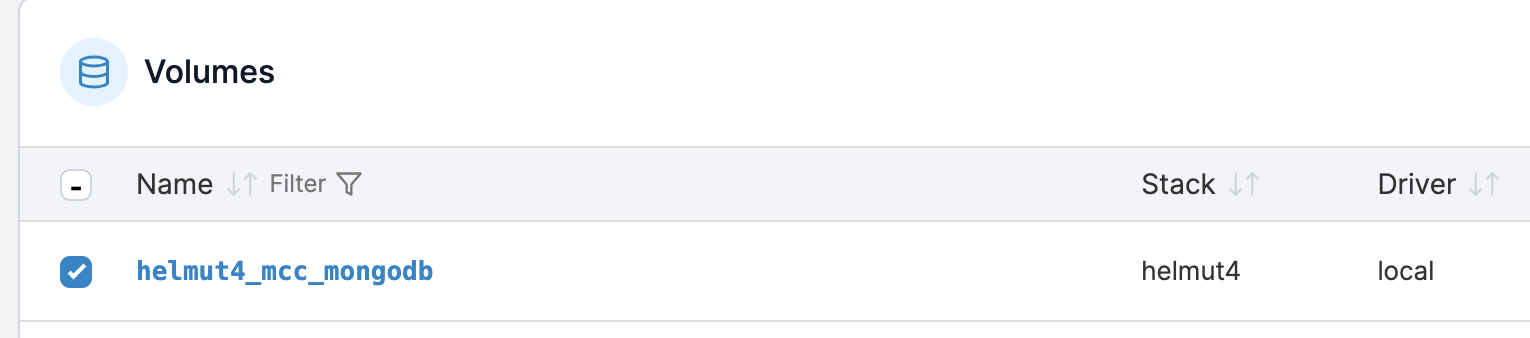
3. Volumes (use cautiously!**\***)
Steps:
1. Navigate to each section.
2. Set the search filter to find **exited** or **unused** items.
3. Select all listed entries.
4. Click Remove and wait for the operation to complete.
Remove unused images
Remove exited containers
{% hint style="danger" %}
**\*** ***Please ensure that you do not delete the running MongoDB volume, as this would permanently erase your actual Helmut4 database from the host!***
{% endhint %}
Running, active helmut4 mongodb
### **Clean-Up via Command Line Tool**
To delete unused images, containers, and networks from Docker, execute the following command:
```sh
#Delete unused Docker images, containers and networks
sudo docker system prune --force
```
## Host Housekeeping
Cleaning up the host server is equally important. The specific cleanup steps depend on the host operating system (e.g., Ubuntu, Debian, RHEL).
Here's an example for Ubuntu:
```sh
#!/bin/sh
#simple clean-up tool to remove old stuff
#use this on your own risk
#delete apt caches
sudo apt-get autoremove
sudo apt-get clean
#Delete journal logs
sudo journalctl --vacuum-time=2d
#remove snap cache
set -eu
snap list --all | awk '/disabled/{print $1, $3}' |
while read snapname revision; do
snap remove "$snapname" --revision="$revision"
done
exit
```
By following these steps, you can ensure a smoother Docker operation and free up valuable system resources.