> For the complete documentation index, see [llms.txt](https://docs.helmut.de/helmut4-releases/llms.txt). Markdown versions of documentation pages are available by appending `.md` to page URLs; this page is available as [Markdown](https://docs.helmut.de/helmut4-releases/helmut4-components/streamdesigner/wildcards/result-or-return-wildcards-2/stream-last_result.md).
# Stream Last\_Result
This wildcard returns the value of a previous node like a Regex Apply Action.
The value of the wildcard will be the same as common node outputs like {job.destination}, {job.proxy} and so on.
The function here is the same as one can get by using the wildcard [{node.result.?}](/helmut4-releases/helmut4-components/streamdesigner/wildcards/result-or-return-wildcards-2/node-result.md)
The difference here is, that this value can't be overwritten by another node which is happening when using {stream.last\_result}.\
\
For a detailed description look here: [Difference {stream.last\_result} vs {node.result.?}](https://docs.helmut.de/helmut4-releases/helmut4-components/streamdesigner/wildcards/result-or-return-wildcards-2/pages/btaifI6llMPPct7aeWQ0#difference-stream.last_result-vs-node.result.)
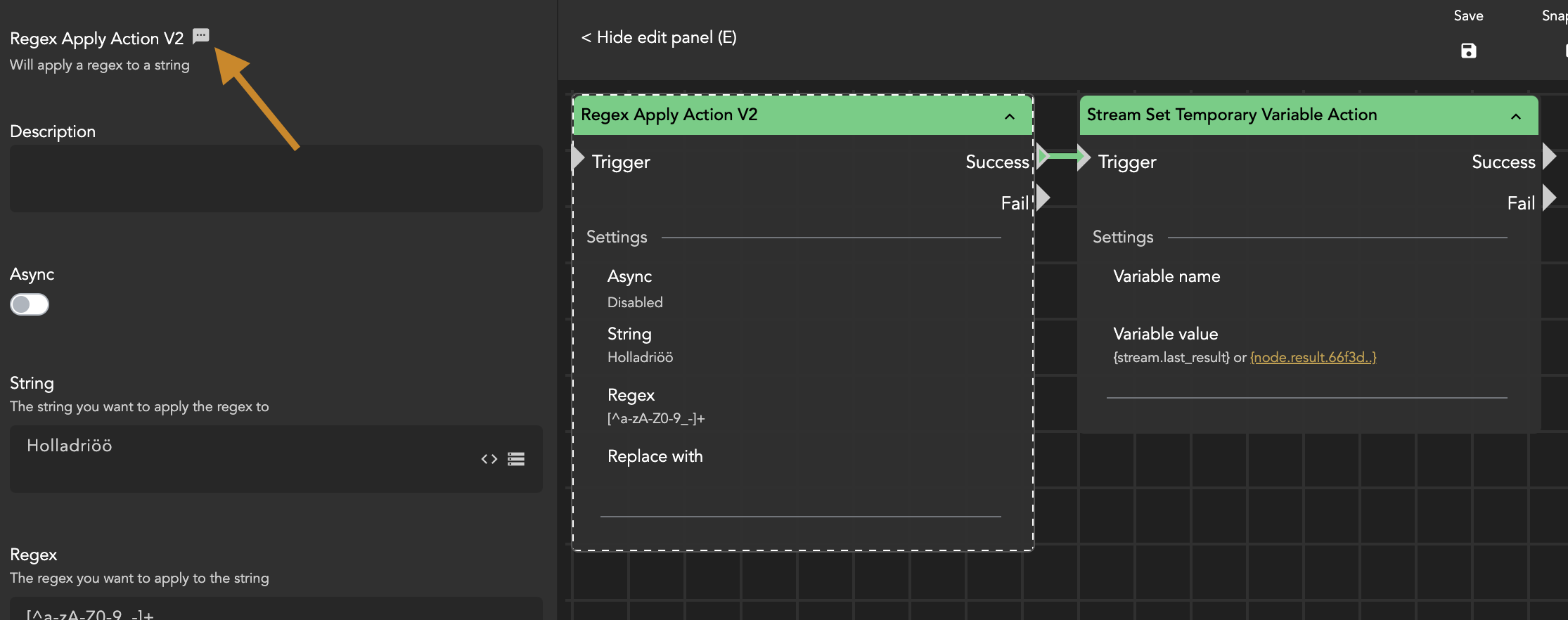
Get NodeID of an action
### Use of the wildcard
The wildcard is used in the following ways:
* Use an action like Regex Apply
* Define parameter and grab NodeID
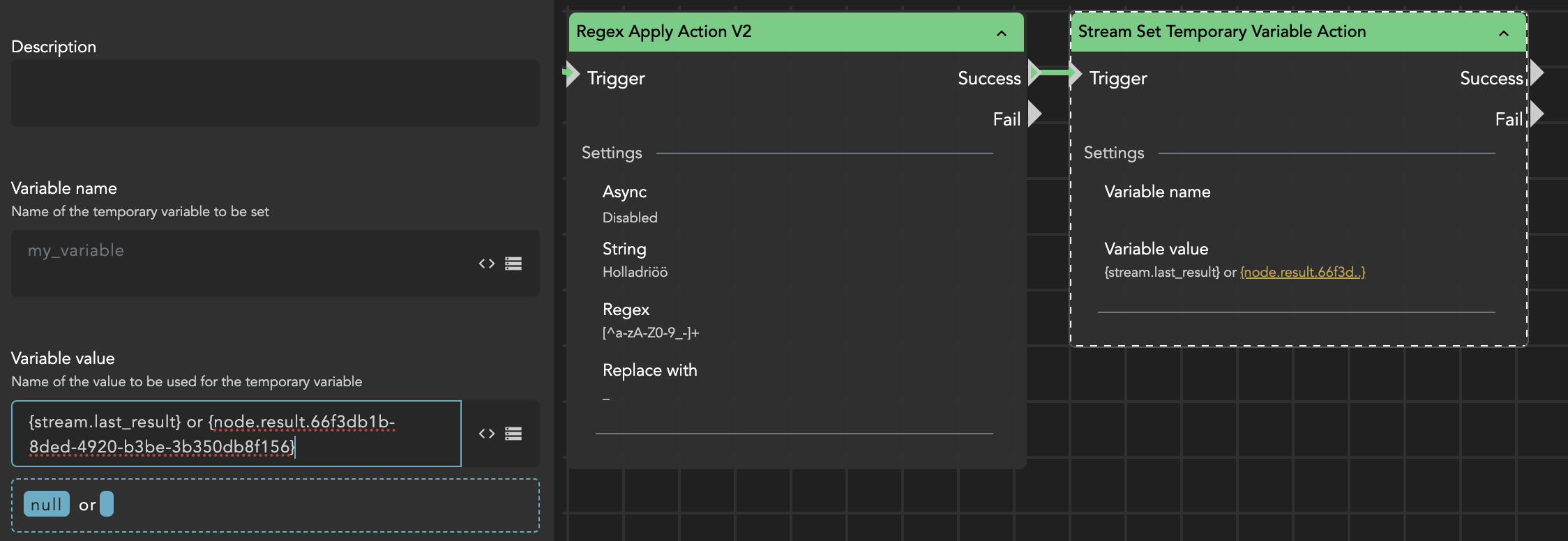
* Use the NodeID in another node with the syntax {node.result.*NodeID*}
* For the following input (?) --> 66f3db1b-8ded-4920-b3be-3b350db8f156
* {node.result.66f3db1b-8ded-4920-b3be-3b350db8f156}
{stream.last_resul} and {node.result.?}
The result in this case is equal to {stream.last\_result}.
Comparison {stream.last_resul} and {node.result.?}
{% hint style="info" %}
The NodeID does also provide special access when used with certain nodes like:
* [Cosmo Add Asset to Project Action](/helmut4-releases/helmut4-components/streamdesigner/nodes/actions/cosmo-16/cosmo-add-asset-to-project-action.md) -> fetch AssetID
* [Cosmo Get Asset Metadata Action](/helmut4-releases/helmut4-components/streamdesigner/nodes/actions/cosmo-16/cosmo-get-asset-metadata-action.md) -> fetch metadata value of metadata key
{% endhint %}